 Simulation
Fit check
Is Piano Glow worth it for you?
We tell you who should skip it, too.
Play it if you…
Good fit- Piano learners who want structured practice modes and progress tracking
- Players who want to perform with others in online piano lobbies
- Keyboard players who need QWERTY, MIDI, or digital-piano input options
Skip it if you…
Saves you a refund- Players seeking a narrowly focused piano simulator without multiplayer, training tools, editing, or visual customization
- Players looking for a fixed campaign or linear progression rather than songs, practice modes, and open-ended play
- Players who do not use a computer keyboard, digital piano, or MIDI controller
Our take on Piano Glow
Rather than centering on a fixed song list or a single practice mode, Piano Glow combines piano performance with multiplayer turns, song guessing, drawing, file-based exercises, and music-production tools. Its game structure crosses practice software, social play, and visual customization.
What is Piano Glow?
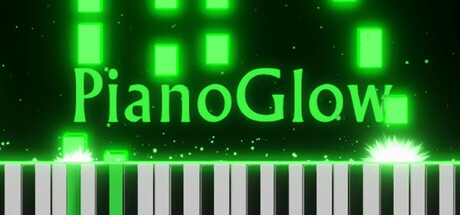
Piano Glow combines piano playing, practice tools, and online multiplayer.
Songs can be played with a QWERTY keyboard, digital piano, or MIDI controller, including smaller keyboards through automatic conversion. Multiplayer includes turn-based queues, song-guessing, drawing while playing, chatrooms, voice chat, and friend or block lists. Practice modes cover ear training, rhythm, falling notes, chords, scales, arpeggios, and sheet music. The app can import MIDI and MusicXML files, loop selected sections, identify chords, suggest fingering, and display notes on compatible MIDI keyboards. It also includes MIDI recording and editing, SoundFont, VST3, and ASIO support, customizable audio and visual settings, a practice calendar, achievements, and offline single-player play.
How Piano Glow plays
- 01Online Multiplayer
- Players can take turns, guess songs, draw while performing, use chat and voice chat, and manage friend or block lists.
- 02Multiple Input Methods
- The app accepts QWERTY keyboards, digital pianos, and MIDI controllers, including keyboards with as few as 25 keys.
- 03Practice Modes
- Training covers ear, rhythm, falling notes, chords, scales, arpeggios, and sheet music.
- 04MIDI And MusicXML
- Imported files can be practiced with falling notes and notation, while selected passages can be looped.
- 05MIDI Editing
- Performances and recordings can be edited, and MIDI files can be recorded or rendered as video.
- 06Audio Customization
- Audio options include reverb, equalization, multiple SoundFonts, VST3, and ASIO support.
- 07Practice Tracking
- A calendar records practice by day and month, while statistics show incorrect answers more often.
Games like Piano Glow
Simulation Simulation
DvDrum, Ultimate Drum Simulator!
DarkTiger DevelopmentsFor:Drum enthusiasts who want to assemble and modify virtual kitsSkip if:Players seeking a structured campaign, progression system, or story-driven music game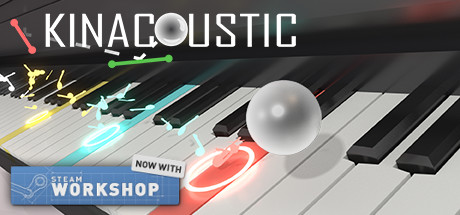 Simulation
Kinacoustic
Maithonis StudiosFor:Music hobbyists who want to build compositions through visual interactionSkip if:Players seeking a conventional rhythm game with fixed songs and conventional note input Simulation
Paradiddle
Emre TanirganFor:VR users who want structured beginner drumming lessons rather than an unstructured instrument sandboxSkip if:Players seeking a broad campaign or progression system beyond lessons, songs, rhythm challenges, and freeplayPicked by overlapping fit notes and genres, not an editorial comparison.
Piano Glow: platforms & release
Is Piano Glow worth it?
It is worth it if: piano learners who want structured practice modes and progress tracking. Skip it if: players seeking a narrowly focused piano simulator without multiplayer, training tools, editing, or visual customization.
Where can I download Piano Glow?
Use the Download Now button on this page: it opens Piano Glow's store page, where you can choose how to get it.
What platforms is Piano Glow on?
Windows and Linux.