 Simulation
Fit check
Is On the Keyboard worth it for you?
We tell you who should skip it, too.
Play it if you…
Good fit- Players who enjoy action games built around unusual control systems
- Typists who want a game centered on QWERTY key placement
- Players who prefer short skill challenges involving obstacles and indirect control
Skip it if you…
Saves you a refund- Players who need direct control over the main object will hit a wall when movement must be produced through keyboard forces instead.
- Players seeking a conventional racing structure may bounce off the unpredictable Sphere movement and obstacle-focused routes.
- Users of keyboard layouts other than QWERTY are not covered by the stated keyboard support.
Our take on On the Keyboard
The bounce point arrives when the Sphere stops responding like a directly controlled character. Progress depends on identifying one of 40 keys, applying force through the virtual keyboard, and correcting movement before the Sphere drops or meets an obstacle.
What is On the Keyboard?
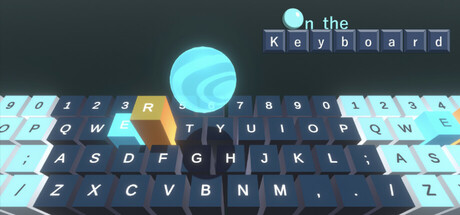
On the Keyboard is an action game built around controlling a virtual keyboard rather than moving the Sphere directly.
Pressing keys shifts their corresponding virtual sections, and the resulting force moves the Sphere. The objective is to reach the finish line without falling from the keyboard. Players must quickly choose among 40 keys while dealing with unpredictable movement and obstacles along the route. The game also uses the spatial layout of a QWERTY keyboard as part of its typing-game structure, with play involving key recognition and pressing accuracy. The supported keyboard layout is QWERTY. Streaming and recording are permitted, but the game retrieves the Steam profile name during play.
How On the Keyboard plays
- 01Force-based movement
- Key presses shift virtual keyboard sections, causing the Sphere to move indirectly.
- 02Obstacle-filled routes
- Players must manipulate the keyboard around barriers while keeping the Sphere on its surface.
- 03Typing-game elements
- Recognizing key positions and selecting them quickly forms part of the gameplay.
- 04QWERTY support
- The game supports the QWERTY keyboard layout.
Games like On the Keyboard
Simulation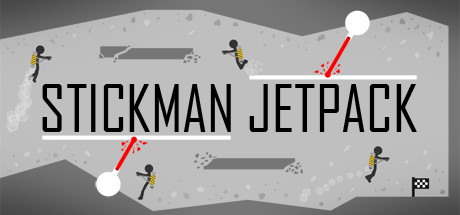 Simulation
Stickman Jetpack
UnknownFor:Players who enjoy physics-based flying challenges with a clear finish lineSkip if:Players seeking a broad campaign may find the 11-level scope limited. Simulation
Running Girl
TonAmeFor:Arcade runner fans who want an endless collecting modeSkip if:Players seeking a story-driven adventure or broad exploration rather than repeated running sequences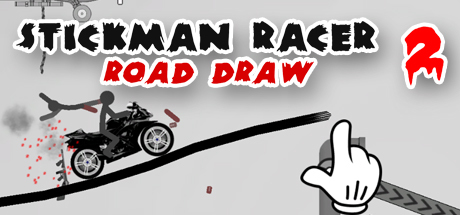 Simulation
Stickman Racer Road Draw 2
Hype ProductionZFor:Casual players who want short stunt-focused driving runsSkip if:Players seeking detailed racing simulation mechanics may find the stunt-and-survival focus too narrowPicked by overlapping fit notes and genres, not an editorial comparison.
On the Keyboard: platforms & release
Is On the Keyboard worth it?
It is worth it if: players who enjoy action games built around unusual control systems. Skip it if: players who need direct control over the main object will hit a wall when movement must be produced through keyboard forces instead.
Where can I download On the Keyboard?
Use the Download Now button on this page: it opens On the Keyboard's store page, where you can choose how to get it.
What platforms is On the Keyboard on?
Windows only.