![Mocap Fusion [ VR ] — Steam capsule](https://shared.akamai.steamstatic.com/store_item_assets/steam/apps/1540000/header.jpg?t=1708146572)
 Simulation
Fit check
Is Mocap Fusion [ VR ] worth it for you?
We tell you who should skip it, too.
Play it if you…
Good fit- Artists who need avatar-based motion capture for Blender, Unity, or SFM workflows
- Animators with compatible VR or tracking hardware who want to record custom scenes
- Live-content creators using avatar synchronization with Unreal Engine, Blender, or Unity
Skip it if you…
Saves you a refund- Creators seeking a simple capture setup, since full-body, facial, gaze, and finger recording depend on multiple compatible devices
- Users who need detailed body tracking without optional trackers, since standing capture is available but full-body tracking requires feet and hip trackers
- Creators working outside the listed avatar, scene, export, and live-link workflows
Our take on Mocap Fusion [ VR ]
The page foregrounds exporting scenes to Blender in minutes, but the capture scope depends heavily on the hardware setup. Several advanced functions require optional trackers, an iPhone TrueDepth sensor, a Quest 2, or compatible headset-specific equipment.
What is Mocap Fusion [ VR ]?
Create motion-capture scenes with custom avatars, environments, props, cameras, and storyboards using VR hardware or selected tracking devices.
Recording can combine body, face, lipsync, gaze, and finger inputs, depending on the available hardware. The software supports playback controls such as pause, slow motion, and scrubbing, along with customizable inverse-kinematics profiles and avatar parameters. Scenes and animations can be exported to SFM, Blender, Unity, and Daz 3D workflows. Live-link plugins provide avatar synchronization or recording for Unreal Engine, Blender, and Unity. Additional tools cover microphone recording with lipsync data, camera capture, livestream camera placement, physics effects, animatics, and tracked props or firearms.
How Mocap Fusion [ VR ] plays
- 01Multi-sensor capture
- Body, facial, gaze, lipsync, and finger inputs can be combined in one recording when compatible hardware is available.
- 02Scene export
- Recorded scenes can be reconstructed for Blender and exported in SFM, Blender, and Unity formats.
- 03Live-link plugins
- Plugins provide live avatar synchronization or recording connections for Unreal Engine, Blender, and Unity.
- 04Custom avatar workflow
- Custom avatars, scenes, props, shaders, textures, expressions, and dynamic-bone effects can be used throughout production.
- 05VR camera capture
- Cameras, selfie cameras, and camera motion can be recorded or linked to trackers for cinematography and livestream layouts.
- 06Storyboard tools
- Mocap experiences can be saved as pages for later replay or editing, with an animatic player for scripts and movement planning.
- 07Finger articulation
- SteamVR Knuckles and the Quest 2 optical finger-tracking app provide individual finger movement features.
Games like Mocap Fusion [ VR ]
Simulation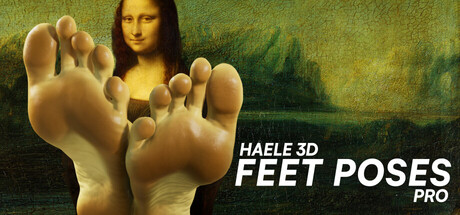 Simulation
HAELE 3D - Feet Poses Pro - Drawing References
HAELE 3DFor:Artists practicing human feet who need adjustable anatomical referencesSkip if:Artists seeking a broad anatomy reference library beyond feet Simulation
WorldMaker
Maker InteractiveFor:Casual scene builders who want to arrange included objects without importing custom modelsSkip if:Creators seeking a structured game campaign with missions or objectives rather than open-ended scene building Simulation
Figure Workshop
Megu StudioFor:MMD users who want to turn prepared models and motions into posed display figuresSkip if:Users seeking a general-purpose 3D modeling tool rather than a figure-making workflowPicked by overlapping fit notes and genres, not an editorial comparison.
Mocap Fusion [ VR ]: platforms & release
Is Mocap Fusion [ VR ] worth it?
It is worth it if: artists who need avatar-based motion capture for Blender, Unity, or SFM workflows. Skip it if: creators seeking a simple capture setup, since full-body, facial, gaze, and finger recording depend on multiple compatible devices.
Where can I download Mocap Fusion [ VR ]?
Use the Download Now button on this page: it opens Mocap Fusion [ VR ]'s store page, where you can choose how to get it.
What platforms is Mocap Fusion [ VR ] on?
Windows only.