Fit check
Is Pose Tool 3D Pro worth it for you?
We tell you who should skip it, too.
Play it if you…
Good fit- Artists creating human figure references for illustration or comics
- Character designers and animators building posed figure compositions
- 3D sculptors who need posed characters for Blender, ZBrush, or Nomad Sculpt workflows
Skip it if you…
Saves you a refund- Users seeking a full 3D modeling or sculpting application rather than a figure posing tool
- Artists who need a dedicated hand- or feet-only reference app instead of whole-figure posing
- Users who do not work with figure references, character design, illustration, animation, or 3D sculpting
Our take on Pose Tool 3D Pro
The listing presents the app as a broad reference resource for many art disciplines, but its core workflow remains figure posing. Objects, weapons, drawing modes, muscle maps, and export are supporting functions rather than a full modeling or animation workspace.
What is Pose Tool 3D Pro?
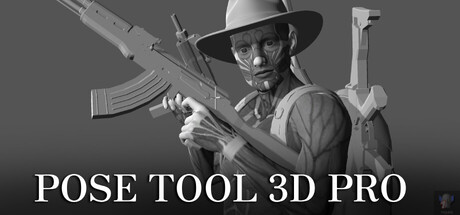
Pose Tool 3D Pro provides male and female 3D figures for creating reference poses.
Artists can select body parts and adjust the figures, including poses where body geometry intersects. Objects and weapons can be attached to hands and other body parts for individual characters or group scenes. The app offers 2D and 3D drawing modes, plus muscle maps that show how muscles move as a figure is posed. It is intended for drawing, manga, illustration, character design, animation, storyboarding, comic creation, sculpting, and 3D modeling workflows. Posed characters can be exported to programs including Blender, ZBrush, and Nomad Sculpt.
How Pose Tool 3D Pro plays
- 01Male And Female Figures
- The app includes both figure types for creating pose references.
- 02Unrestricted Figure Posing
- Body parts can be adjusted into extreme positions, including poses where geometry overlaps.
- 03Attached Objects And Weapons
- Everyday items and weapons can be placed on figures' hands or other body parts.
- 04Drawing Mode Selection
- The figure can be viewed through separate 2D and 3D working modes.
- 05Muscle Movement Maps
- Body overlays show muscle movement while a figure is being posed.
- 063D Program Export
- Posed characters can be exported to Blender, ZBrush, Nomad Sculpt, and other 3D applications.
Pose Tool 3D Pro compared to similar games
Pose Tool 3D Pro covers whole-figure posing, with male and female figures, attached objects and weapons, muscle maps, and export to 3D applications. HAELE 3D - Hand Poses Lite and HAELE 3D - Feet Poses Lite focus on hand or foot references, while HAELE 3D - Hand Poses Pro centers on hand poses and preset scenes. The HAELE products therefore target specific body-part studies rather than the broader figure workflow described here.
Pose Tool 3D Pro: platforms & release
Is Pose Tool 3D Pro worth it?
It is worth it if: artists creating human figure references for illustration or comics. Skip it if: users seeking a full 3D modeling or sculpting application rather than a figure posing tool.
Where can I download Pose Tool 3D Pro?
Use the Download Now button on this page: it opens Pose Tool 3D Pro's store page, where you can choose how to get it.
What platforms is Pose Tool 3D Pro on?
Windows only.