 Simulation
Fit check
Is Home Design | Floor Plan worth it for you?
We tell you who should skip it, too.
Play it if you…
Good fit- Home planners who want furnished three-dimensional room layouts
- Architects and clients reviewing building-project designs together
- Interior designers creating visual project images for customers or business partners
Skip it if you…
Saves you a refund- Users seeking a construction-management simulation with progression, objectives, or resource systems
- Users who need advanced professional drafting workflows beyond furnished 3D floor-plan presentation
- Users looking only for un furnished two-dimensional layouts without walkthrough views
Our take on Home Design | Floor Plan
This simulation replaces a management or progression loop with direct spatial creation. Its main activity is arranging a furnished three-dimensional project, then examining it through camera views and a first-person walkthrough rather than controlling a broader simulated household or business.
What is Home Design | Floor Plan?
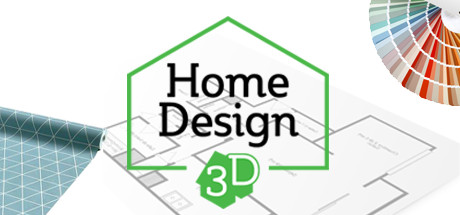
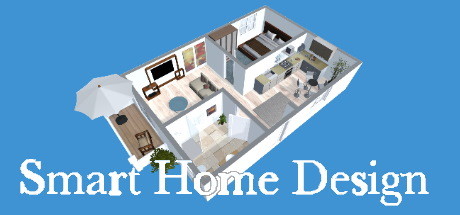
Home Design | Floor Plan supports the creation of three-dimensional floor plans with furnished rooms.
Furniture libraries provide items for interior design, while filters help organize project elements. Projects can be viewed through a 3D viewer, fly-camera mode, or first-person mode for virtual walkthroughs. A photo function creates high-resolution images of the design. Light and shadow effects add visual detail, and a measurement function supports building-project planning and home arrangement. The software can be used to plan a building project, set up a home, and present project images to customers, business partners, or an architect. Its workflow combines room furnishing, spatial inspection, measurements, and visual presentation within one floor-plan project.
How Home Design | Floor Plan plays
- 01Furniture libraries
- Interior-design collections provide items for furnishing rooms in a floor-plan project.
- 02Walkthrough views
- A 3D viewer, fly-camera mode, and first-person mode offer different ways to inspect the project.
- 03High-resolution photos
- The photo function creates high-resolution images of the completed design.
- 04Light and shadows
- Projects can display lighting and shadow effects while the space is being reviewed.
- 05Measurement function
- A measurement tool supports planning dimensions within the project.
Games like Home Design | Floor Plan
Simulation Simulation
House Sketcher 3D
Sebastian KemperFor:Home planners who want to arrange rooms and furnishings in 3DSkip if:Users needing detailed construction documentation beyond floor-plan and house-visualization work Simulation
DIY - CAD Designer
Sebastian KemperFor:DIY planners who want to lay out a home project in 3D before building itSkip if:Users who need a detailed construction workflow beyond arranging, editing, and dimensioning components may hit the product's scope limit when they need more than a 3D plan. Simulation
Home Designer - Architecture
Sebastian KemperFor:Homeowners who want to draft and furnish a floor plan without a professional design workflowSkip if:People seeking a detailed architectural drafting or construction-document workflowPicked by overlapping fit notes and genres, not an editorial comparison.
Home Design | Floor Plan: platforms & release
Is Home Design | Floor Plan worth it?
It is worth it if: home planners who want furnished three-dimensional room layouts. Skip it if: users seeking a construction-management simulation with progression, objectives, or resource systems.
Where can I download Home Design | Floor Plan?
Use the Download Now button on this page: it opens Home Design | Floor Plan's store page, where you can choose how to get it.
What platforms is Home Design | Floor Plan on?
Windows and macOS.