 Simulation
Fit check
Is Home Design 3D worth it for you?
We tell you who should skip it, too.
Play it if you…
Good fit- Home planners who want to build floor plans before furnishing rooms
- Interior design hobbyists who want to test furniture, colors, and textures
- Users who want to inspect home projects in navigable 3D or virtual reality
Skip it if you…
Saves you a refund- Players seeking a structured game with missions, characters, or story progression
- Users looking for fast-paced play, competitive systems, or substantial action mechanics
- People who need a specialized professional architecture or construction workflow
Our take on Home Design 3D
Instead of treating simulation as a sequence of objectives or resource-management tasks, this title centers on open-ended spatial creation. Its main activity is drawing, furnishing, and visiting a self-directed home project rather than pursuing a conventional win state.
What is Home Design 3D?
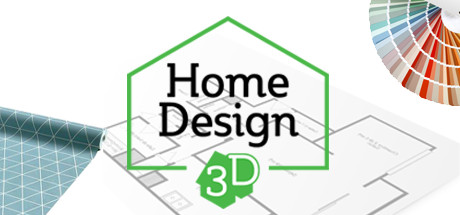
Home Design 3D lets users draw floor plans and room dividers in 2D or 3D, adjusting wall height and thickness and adding resizeable doors, windows, and openings.
Projects can include indoor and outdoor furniture, with objects editable by size, color, position, and wall height. The application includes thousands of furniture items and textures, supports imported images as textures, and offers copy, undo, redo, and color-picking tools. Real-time 3D viewing covers the home, outdoor areas, and neighborhood, with day and night views and a compass for tracking light. Blueprints can be imported, projects shared by email or cloud services, and work continued on smartphones or tablets. Projects can also be exported for virtual reality.
How Home Design 3D plays
- 012D and 3D Planning
- Create rooms and partitions while changing wall dimensions and adding adjustable doors, windows, and openings.
- 02Object Customization
- Furniture and other objects can be resized, recolored, repositioned, and placed at different heights on walls.
- 03Texture Importing
- Personal images can be brought into projects and applied as surface textures.
- 04Real-Time Viewing
- Walk through indoor, outdoor, and neighborhood areas in 3D, with day and night perspectives.
- 05Blueprint Layers
- Imported blueprints can appear as layers within a project.
- 06Cross-Platform Export
- Projects can be exported for continued work on smartphones or tablets and for virtual-reality viewing.
- 07Local Autosave
- Projects can be saved locally, and the application does not require an internet connection.
Games like Home Design 3D
Simulation Simulation
House Sketcher 3D
Sebastian KemperFor:Home planners who want to arrange rooms and furnishings in 3DSkip if:Users needing detailed construction documentation beyond floor-plan and house-visualization work Simulation
Home Design | Floor Plan
Sebastian KemperFor:Home planners who want furnished three-dimensional room layoutsSkip if:Users seeking a construction-management simulation with progression, objectives, or resource systems Simulation
Small Spaces
Pretty SoonFor:Home-design fans who prefer furnishing prepared apartments rather than drawing layoutsSkip if:Players who need to create apartment floor plans from an empty layout will reach the fixed-space limitation immediatelyPicked by overlapping fit notes and genres, not an editorial comparison.
Home Design 3D: platforms & release
Is Home Design 3D worth it?
It is worth it if: home planners who want to build floor plans before furnishing rooms. Skip it if: players seeking a structured game with missions, characters, or story progression.
Where can I download Home Design 3D?
Use the Download Now button on this page: it opens Home Design 3D's store page, where you can choose how to get it.
What platforms is Home Design 3D on?
Windows and macOS.