
Fit check
Is DIY - CAD Designer worth it for you?
We tell you who should skip it, too.
Play it if you…
Good fit- DIY planners who want to lay out a home project in 3D before building it
- Woodworkers who want to assemble plans from library parts rather than draw every component from scratch
- Users who need to bring supported 3D models into a project and work with them alongside library components
Skip it if you…
Saves you a refund- Users who need a detailed construction workflow beyond arranging, editing, and dimensioning components may hit the product's scope limit when they need more than a 3D plan.
- People who prefer freehand drawing may find the library-and-component workflow restrictive when they need to create forms not represented by available parts or imported models.
Our take on DIY - CAD Designer
The likely sticking point is the component-based workflow: users who need to create a shape from scratch may run into a wall when the available library parts and imported models do not cover it.
What is DIY - CAD Designer?
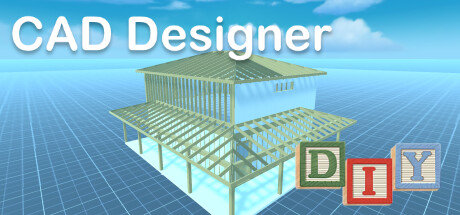
DIY CAD Designer is CAD software for planning do-it-yourself projects as 3D drawings.
Users can add beams, boards, sheets, rods, and other parts from libraries, then rotate, scale, position, or copy components. The libraries cover base items, wood, metal, glass, stone, and components. Models can also be imported in FBX, OBJ, GLTF2, STL, PLY, and 3MF formats. Projects can use imperial or metric measurements and be viewed in orthogonal or perspective modes, with top, front, and side angles available. A 3D dimensioning system displays construction measurements, while materials and colors can be applied to the scene. A photo function creates high-resolution images for sharing.
How DIY - CAD Designer plays
- 01Model importing
- Imported objects in FBX, OBJ, GLTF2, STL, PLY, and 3MF can be used in a project.
- 02Component editing
- Parts can be rotated, resized, repositioned, or copied within the scene.
- 03Measurement systems
- Projects can be measured in either imperial feet or metric meters.
- 04Camera views
- The scene can switch between orthogonal and perspective views, with top, front, and side angles.
- 05Project images
- A photo function produces high-resolution images that can be shared.
DIY - CAD Designer compared to similar games
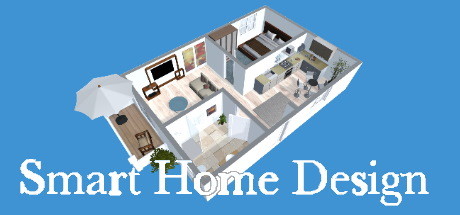
Smart Home Design focuses on 3D floor plans and furnishing rooms, while DIY CAD Designer centers on constructing DIY projects from components such as beams, boards, and rods. DIY CAD Designer also lists six model import formats and imperial or metric measurements; Smart Home Design's description instead mentions first-person viewing and high-resolution project images.
DIY - CAD Designer: platforms & release
Is DIY - CAD Designer worth it?
It is worth it if: DIY planners who want to lay out a home project in 3D before building it. Skip it if: users who need a detailed construction workflow beyond arranging, editing, and dimensioning components may hit the product's scope limit when they need more than a 3D plan.
Where can I download DIY - CAD Designer?
Use the Download Now button on this page: it opens DIY - CAD Designer's store page, where you can choose how to get it.
What platforms is DIY - CAD Designer on?
Windows and macOS.