 Simulation
Fit check
Is Kodon worth it for you?
We tell you who should skip it, too.
Play it if you…
Good fit- 3D artists who want to combine VR sculpting with desktop asset creation
- VR users with Meta/Oculus, SteamVR, or Windows Mixed Reality headsets
- Beginners exploring 3D sculpting outside a desktop-only workflow
Skip it if you…
Saves you a refund- Users seeking finished software rather than a tool under development
- Artists who want a single, fixed workflow instead of switching between VR, desktop, freehand, and planar methods
- Users whose hardware falls outside the supported headset categories
- People looking for a general-purpose game editor or video editor
Our take on Kodon
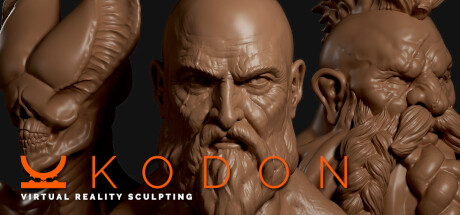
Rather than treating 3D sculpting as a desktop-only activity, Kodon combines immersive headset work with desktop overview and planar methods. Its structure replaces a single-screen workflow with movement between VR immersion, broad inspection, free drawing, and flatter approaches.
What is Kodon?
Kodon is 3D sculpting software for VR and desktop use.
Its hybrid workflow combines immersive VR work with desktop controls, allowing movement between a broad overview and close sculpting, as well as between freehand drawing and planar methods. The software supports Meta/Oculus headsets, mainstream SteamVR devices such as Vive and Index, and Windows Mixed Reality hardware including HP Reverb. Kodon is under development and invites users to provide feedback through Discord, including requests for additional headset support. It is intended for asset creation and is positioned as an alternative to desktop sculpting workflows.
How Kodon plays
- 01VR and Desktop Modes
- The software supports sculpting workflows across VR headsets and desktop computers.
- 02Hybrid Sculpting Workflow
- Projects can shift between immersive work and desktop overview, as well as between freehand and planar approaches.
- 03Headset Compatibility
- Supported hardware includes Meta/Oculus, Vive, Index, HP Reverb, and other Windows Mixed Reality headsets.
- 04Community Feedback
- Users can report headset compatibility issues and suggest future changes through Discord.
Games like Kodon
Simulation Simulation
Desktop Magic Engine
XDesktopSoftFor:Desktop customization fans who want animated 3D characters alongside everyday windowsSkip if:Users seeking a conventional game with levels, objectives, or character progression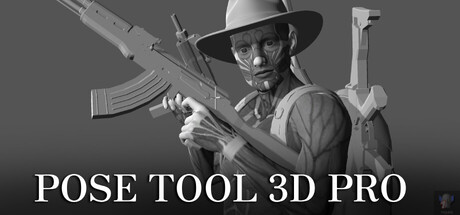 Simulation
Pose Tool 3D Pro
alienthink.comFor:Artists creating human figure references for illustration or comicsSkip if:Users seeking a full 3D modeling or sculpting application rather than a figure posing tool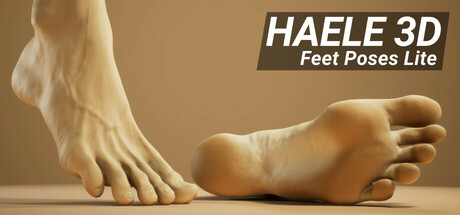 Simulation
HAELE 3D - Feet Poses Lite - Drawing References
HAELE 3DFor:Artists studying human feet who need adjustable 3D referencesSkip if:Artists seeking a general human-anatomy reference rather than a tool focused on feetPicked by overlapping fit notes and genres, not an editorial comparison.
Kodon: platforms & release
Is Kodon worth it?
It is worth it if: 3D artists who want to combine VR sculpting with desktop asset creation. Skip it if: users seeking finished software rather than a tool under development.
Where can I download Kodon?
Use the Download Now button on this page: it opens Kodon's store page, where you can choose how to get it.
What platforms is Kodon on?
Windows only.