 Simulation
Fit check
Is HAELE 3D - Feet Poses Lite - Drawing References worth it for you?
We tell you who should skip it, too.
Play it if you…
Good fit- Artists studying human feet who need adjustable 3D references
- Beginners practicing foot drawing alongside tutorials
- Digital artists working in realistic, stylized, cartoon, or anime styles
Skip it if you…
Saves you a refund- Artists seeking a general human-anatomy reference rather than a tool focused on feet
- Users who need drawing or sculpting tools instead of an adjustable visual reference
- Artists requiring body parts beyond the application's foot-focused scope
Our take on HAELE 3D - Feet Poses Lite - Drawing References
The bounce point arrives when a reference needs to move beyond feet: the app concentrates its posing and material controls on foot anatomy. Artists looking for hands, full figures, or direct drawing tools will hit that scope boundary before the scene-editing options become useful.
What is HAELE 3D - Feet Poses Lite - Drawing References?
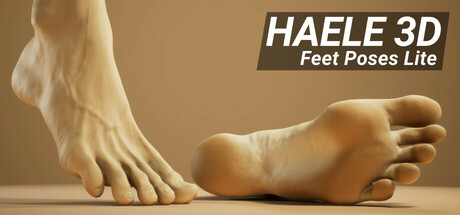
HAELE 3D - Feet Poses Lite is a 3D reference app for studying and drawing human feet.
Artists can choose preset poses or create custom positions, then adjust the camera, lighting, floor, background, skin appearance, and nail details. Lighting controls cover point, environment, and ground sources, while environments include HDRI studio scenes and plain colors. The floor can be hidden or edited for color and reflectivity. Skin options include tone, saturation, variation, and surface reflectivity, with preset colors spanning skin tones and grayscale. Camera controls cover angle, placement, position, and field of view. Scenes and presets can be saved, loaded, and reused.
How HAELE 3D - Feet Poses Lite - Drawing References plays
- 01Custom foot poses
- Create positions beyond the supplied pose collection for different drawing and sculpting references.
- 02Adjustable lighting
- Modify point, environment, and ground lights, including color, strength, transformation, and HDRI selection.
- 03Scene environments
- Use HDRI studio settings or plain-color backgrounds, with controls for floor visibility, color, and reflectivity.
- 04Editable foot materials
- Change skin tone, saturation, variation, surface reflectivity, and nail shine and color.
- 05Camera controls
- Set the viewing angle, placement, position, and field of view for the reference.
- 06Scene saving
- Save and reopen scenes, and load available presets for later reference work.
Games like HAELE 3D - Feet Poses Lite - Drawing References
Simulation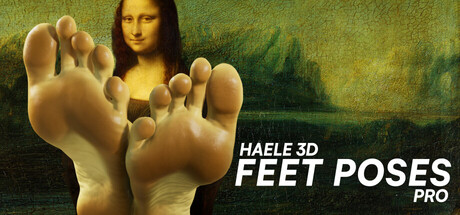 Simulation
HAELE 3D - Feet Poses Pro - Drawing References
HAELE 3DFor:Artists practicing human feet who need adjustable anatomical referencesSkip if:Artists seeking a broad anatomy reference library beyond feet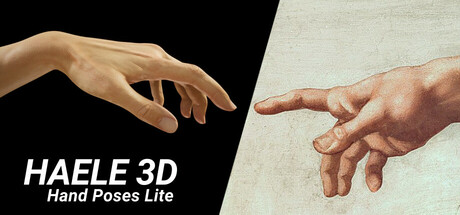 Simulation
HAELE 3D - Hand Poses Lite - Drawing References
HAELE 3DFor:Artists practicing human hand drawing who want adjustable 3D referencesSkip if:Artists seeking references for subjects beyond hands, since the tool focuses on hand anatomy and gestures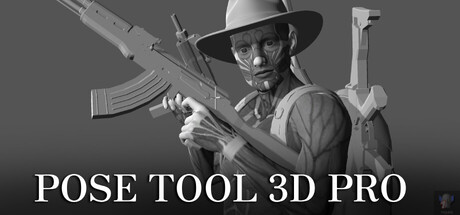 Simulation
Pose Tool 3D Pro
alienthink.comFor:Artists creating human figure references for illustration or comicsSkip if:Users seeking a full 3D modeling or sculpting application rather than a figure posing toolPicked by overlapping fit notes and genres, not an editorial comparison.
HAELE 3D - Feet Poses Lite - Drawing References: platforms & release
Is HAELE 3D - Feet Poses Lite - Drawing References worth it?
It is worth it if: artists studying human feet who need adjustable 3D references. Skip it if: artists seeking a general human-anatomy reference rather than a tool focused on feet.
Where can I download HAELE 3D - Feet Poses Lite - Drawing References?
Use the Download Now button on this page: it opens HAELE 3D - Feet Poses Lite - Drawing References's store page, where you can choose how to get it.
What platforms is HAELE 3D - Feet Poses Lite - Drawing References on?
Windows only.