 Simulation
Fit check
Is vHand worth it for you?
We tell you who should skip it, too.
Play it if you…
Good fit- Streamers who want a visible simulated hand in drawing broadcasts
- Art content creators who use mouse or pen input during recordings
- Artists who want customizable hand visuals and sketching audio in captured work
Skip it if you…
Saves you a refund- Users seeking a full drawing application rather than a hand-motion simulation and capture overlay
- Artists needing a broad library of completed hand poses or anatomy references
- Creators who do not use streaming or screen-capture software
Our take on vHand
The page emphasizes mod support and custom artwork, but places those capabilities in future updates. Current customization covers the supplied hand presets, pens, effects, and colors rather than confirmed user-created modifications.
What is vHand?
vHand simulates hand movements while drawing and adds changing sketching sounds.
It offers male and female hand options, support for left- and right-handed setups, and adjustable presets covering pens, effects, and colors. The app can appear in streamed or recorded content through overlay capture with a transparent background. It also registers mouse and pen input while running in the background. vHand can be used with streaming or capture software, with instructions provided for adding it to OBS on Windows and Mac. Hand customization is available through an in-app overlay. The page also presents community-driven future development, including planned support for user-created modifications and shared guidance for adding custom artwork.
How vHand plays
- 01Hand Presets
- Male and female options can be configured with different pens, visual effects, and colors.
- 02Handedness Support
- The app supports both left-hand and right-hand drawing setups.
- 03Streaming Overlay
- Transparent-background capture allows the simulated hand to be added to recorded or streamed material.
- 04Input Tracking
- Mouse and pen presses can be captured while the app operates in the background.
- 05Sketching Audio
- Drawing activity is paired with changing sketch sounds.
Games like vHand
Simulation Simulation
HAELE 3D - Feet Poses Pro - Drawing References
HAELE 3DFor:Artists practicing human feet who need adjustable anatomical referencesSkip if:Artists seeking a broad anatomy reference library beyond feet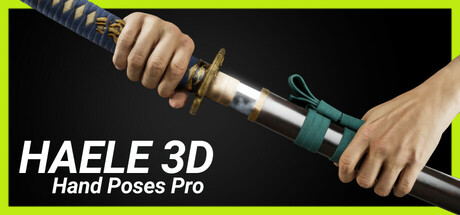 Simulation
HAELE 3D - Hand Poses Pro - Drawing References
HAELE 3DFor:Artists practicing hand drawing who want adjustable 3D referencesSkip if:Artists seeking a general figure-reference tool rather than a hand-focused workspace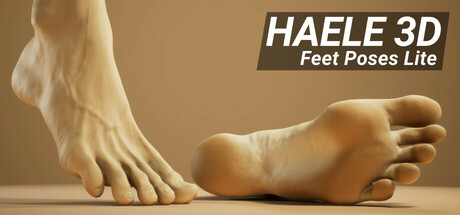 Simulation
HAELE 3D - Feet Poses Lite - Drawing References
HAELE 3DFor:Artists studying human feet who need adjustable 3D referencesSkip if:Artists seeking a general human-anatomy reference rather than a tool focused on feetPicked by overlapping fit notes and genres, not an editorial comparison.
vHand: platforms & release
Is vHand worth it?
It is worth it if: streamers who want a visible simulated hand in drawing broadcasts. Skip it if: users seeking a full drawing application rather than a hand-motion simulation and capture overlay.
Where can I download vHand?
Use the Download Now button on this page: it opens vHand's store page, where you can choose how to get it.
What platforms is vHand on?
Windows and macOS.