 Simulation
Fit check
Is Beam Eye Tracker worth it for you?
We tell you who should skip it, too.
Play it if you…
Good fit- Sim racers who want camera control while keeping both hands on the wheel
- Flight, space, truck, and farming simulator players who scan cockpits or surroundings
- Streamers who want to show gaze position during gameplay
Skip it if you…
Saves you a refund- Users whose webcam view is obstructed by strong lens glare or thick frames may hit tracking problems at certain angles
- Players of games outside the compatible-game selection will not get the listed in-game camera integration
- Users seeking a fully hardware-based eye tracker rather than webcam or phone input
Our take on Beam Eye Tracker
The bounce point arrives during tracking setup: users with strong prescriptions, lens glare, or thick frames may see reduced tracking or blocked eyes at certain angles. Some games also require a quick in-game setting change before camera control works.
What is Beam Eye Tracker?
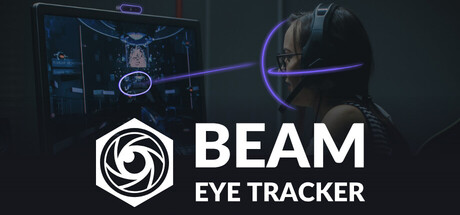
Beam Eye Tracker uses a standard webcam or phone to control in-game camera movement with head and eye tracking.
It supports hundreds of compatible games across racing, flight, driving, trucking, farming, space, FPS, and combat categories. Head tracking includes yaw, pitch, roll, and forward, sideways, and upward lean. Hotkeys can pause, resume, or recenter tracking. Streamers can display gaze position through a customizable overlay and record gameplay with gaze data. Desktop tools include a gaze-controlled pointer, cursor teleportation, a privacy filter, and presence detection. Setup consists of installing Beam, running guided setup, and launching a game. The demo provides 3 hours of active tracking before a one-time purchase removes the limit.
How Beam Eye Tracker plays
- 01Webcam Eye Tracking
- Compatible webcams can provide eye tracking at 60 FPS or higher.
- 02Six-Degree Head Tracking
- The system tracks yaw, pitch, roll, and movement in three lean directions.
- 03Phone Camera Support
- Android and iOS phone options can provide the camera input, including a dedicated iOS app for Face ID iPhones.
- 04Game Camera Control
- Compatible games can receive camera control directly without third-party software running alongside.
- 05Tracking Hotkeys
- Peripheral keys or buttons can pause, resume, and recenter tracking during play.
- 06Gaze Stream Overlay
- The overlay can show viewers the current gaze position while allowing changes to color, opacity, and size.
- 07Desktop Eye Tools
- Additional functions include a gaze-following pointer, cursor jumps, screen blurring outside the gaze area, and screen locking after stepping away.
- 08Local Processing
- Processing takes place on the device, and the product states that it does not generate or store biometric data.
Games like Beam Eye Tracker
Simulation Simulation
DanSparkling
Uniflex Co., Ltd.For:Dance game fans who want controller-free motion playSkip if:Players seeking conventional controller-based dance input Simulation
Mocap Fusion [ VR ]
Brave Cinema Entertainment LLCFor:Artists who need avatar-based motion capture for Blender, Unity, or SFM workflowsSkip if:Creators seeking a simple capture setup, since full-body, facial, gaze, and finger recording depend on multiple compatible devices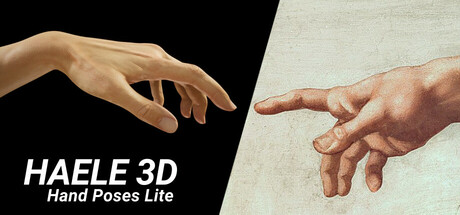 Simulation
HAELE 3D - Hand Poses Lite - Drawing References
HAELE 3DFor:Artists practicing human hand drawing who want adjustable 3D referencesSkip if:Artists seeking references for subjects beyond hands, since the tool focuses on hand anatomy and gesturesPicked by overlapping fit notes and genres, not an editorial comparison.
Beam Eye Tracker: platforms & release
Is Beam Eye Tracker worth it?
It is worth it if: sim racers who want camera control while keeping both hands on the wheel. Skip it if: users whose webcam view is obstructed by strong lens glare or thick frames may hit tracking problems at certain angles.
Where can I download Beam Eye Tracker?
Use the Download Now button on this page: it opens Beam Eye Tracker's store page, where you can choose how to get it.
What platforms is Beam Eye Tracker on?
Windows only.