 Simulation
Fit check
Is Pixel Art Academy: Learn Mode worth it for you?
We tell you who should skip it, too.
Play it if you…
Good fit- Beginners who want structured pixel-art lessons rather than open-ended software
- Aspiring pixel artists interested in practicing through game-based challenges
- Learners who want to apply drawings to small playable game projects
Skip it if you…
Saves you a refund- Learners seeking coverage beyond line art may reach the current content boundary after the line-focused material
- Players wanting a long campaign may find the minimal route's 2–3 hours too short without optional challenges and project work
- Artists looking for a general-purpose art curriculum may find the current Early Access scope narrow
Our take on Pixel Art Academy: Learn Mode
The bounce point arrives when the line-focused curriculum ends. Anyone expecting lessons on color, texture, form, or the other listed art elements will encounter a limited current scope, while extra time comes from optional challenges and personal game projects.
What is Pixel Art Academy: Learn Mode?
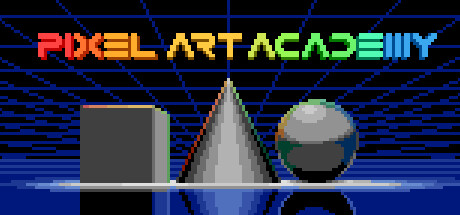
Pixel Art Academy: Learn Mode teaches pixel art through an educational game.
Players begin with interactive lessons on drawing tools and pixel-art principles, then practice by recreating indie-game sprites and fan art from references. Projects include customizing the game Snake and illustrating a personal pinball machine, with both creations available to play. The current version focuses on the line element of art, including line art and jaggies, while shape, form, space, value, color, and texture are planned for Early Access development. A minimal playthrough takes about 2–3 hours, with additional time for challenges and project work. More than 6 hours of background music accompanies drawing sessions.
How Pixel Art Academy: Learn Mode plays
- 01Interactive drawing lessons
- Tutorials introduce drawing tools before covering pixel-art line principles and jaggies.
- 02Sprite practice challenges
- Exercises involve copying indie-game sprites or creating fan art from references.
- 03Playable art projects
- Players customize Snake and build a pinball machine, then play the resulting games.
- 04Background music
- Drawing sessions can be accompanied by more than 6 hours of music.
Games like Pixel Art Academy: Learn Mode
Simulation Simulation
Code Trainer
Erickson SoftwareFor:Programmers with existing coding experience who want practice problemsSkip if:Beginners who need instruction in basic programming concepts Simulation
HAELE 3D - Hand Poses Lite - Drawing References
HAELE 3DFor:Artists practicing human hand drawing who want adjustable 3D referencesSkip if:Artists seeking references for subjects beyond hands, since the tool focuses on hand anatomy and gestures Simulation
HAELE 3D - Feet Poses Lite - Drawing References
HAELE 3DFor:Artists studying human feet who need adjustable 3D referencesSkip if:Artists seeking a general human-anatomy reference rather than a tool focused on feetPicked by overlapping fit notes and genres, not an editorial comparison.
Pixel Art Academy: Learn Mode: platforms & release
Is Pixel Art Academy: Learn Mode worth it?
It is worth it if: beginners who want structured pixel-art lessons rather than open-ended software. Skip it if: learners seeking coverage beyond line art may reach the current content boundary after the line-focused material.
Where can I download Pixel Art Academy: Learn Mode?
Use the Download Now button on this page: it opens Pixel Art Academy: Learn Mode's store page, where you can choose how to get it.
What platforms is Pixel Art Academy: Learn Mode on?
Windows, macOS and Linux.