 Simulation
Fit check
Is 模拟家装修 worth it for you?
We tell you who should skip it, too.
Play it if you…
Good fit- Home renovators who want to preview room layouts from CAD plans
- Interior-design hobbyists who want to place furniture, materials, and lighting
- CAD users who want first-person and third-person views of a planned room
Skip it if you…
Saves you a refund- Players seeking a broader construction or management game with objectives beyond planning individual rooms
- Players looking for character-driven progression, combat, or varied gameplay scenarios
- Users without a CAD plan who do not want to build a room layout manually
Our take on 模拟家装修
The presentation centers on a full room-planning workflow, but the described scope is focused on layout, furnishings, materials, lighting, viewing, and image capture. It does not present a broader renovation-management structure with missions, budgets, or progression.
What is 模拟家装修?
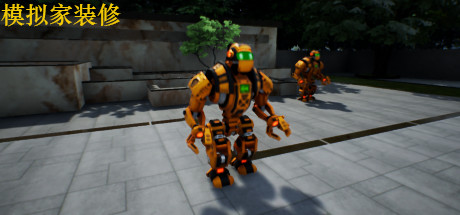
Create room-design demonstrations by importing a house CAD drawing, setting its scale, and tracing the floor plan.
The layout can be turned into walls with adjustable height and width, while openings for doors and windows can be sized and positioned. Walls support different materials, and floors and ceilings can be configured. Doors, windows, furniture, and lights can be placed, moved, resized, or adjusted in height; lighting includes reflection effects. Projects can be saved and reopened after closing the game. First-person and third-person views allow room inspection from different positions, and built-in capture tools can produce images of the decorated rooms.
How 模拟家装修 plays
- 01CAD plan tracing
- Load a CAD drawing over a network connection, set its scale, and use it to draw the room framework.
- 02Adjustable wall layouts
- Set wall thickness and height, then move or remove walls as the plan changes.
- 03Door and window openings
- Create openings with configurable width, height, floor offset, and edge spacing.
- 04Interior material settings
- Apply different materials to walls and configure flooring and ceilings.
- 05Furnishing placement
- Change the position, dimensions, and height of placed furniture.
- 06Saved projects
- Store a project and reopen it after exiting the game.
- 07Room inspection views
- Switch between first-person and third-person perspectives while moving through the room.
- 08Room image capture
- Capture images showing the decorated room.
Games like 模拟家装修
Simulation Simulation
Smart Home Design
Sebastian KemperFor:Home planners who want to arrange rooms in 3DSkip if:Users who need a broader construction workflow than floor-plan creation, furnishing, viewing, and measurement Simulation
Hozy
tinyBuildFor:Players who want a relaxed restoration game without timers, scores, or penaltiesSkip if:Players seeking timed objectives, scoring systems, penalties, or high-pressure challenges Simulation
Home Design 3D
Anuman Interactive / MicroidsFor:Home planners who want to build floor plans before furnishing roomsSkip if:Players seeking a structured game with missions, characters, or story progressionPicked by overlapping fit notes and genres, not an editorial comparison.
模拟家装修: platforms & release
Is 模拟家装修 worth it?
It is worth it if: home renovators who want to preview room layouts from CAD plans. Skip it if: players seeking a broader construction or management game with objectives beyond planning individual rooms.
Where can I download 模拟家装修?
Use the Download Now button on this page: it opens 模拟家装修's store page, where you can choose how to get it.
What platforms is 模拟家装修 on?
Windows only.