 Simulation
Fit check
Is WorldMaker worth it for you?
We tell you who should skip it, too.
Play it if you…
Good fit- Casual scene builders who want to arrange included objects without importing custom models
- Artists creating interior or exterior environments who want to adjust weather and lighting
- Users making still images of 3D scenes who want camera and image controls
Skip it if you…
Saves you a refund- Creators seeking a structured game campaign with missions or objectives rather than open-ended scene building
- Users who depend on undo and redo during editing, since those functions are still planned
- Creators who need to import custom 3D models or export worlds to other software
Our take on WorldMaker
Rather than using missions, progression, or a campaign, WorldMaker centers on assembling and adjusting scenes. Its structure replaces conventional gameplay goals with open-ended world creation and still-image capture.
What is WorldMaker?
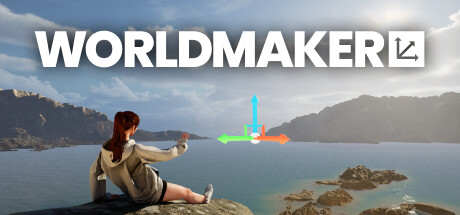
WorldMaker is a tool for creating and editing 3D worlds with drag-and-drop controls.
Its object library contains 1,400 items for building interior and exterior scenes. Lighting, time of day, weather, fog, and cloud cover can be adjusted, while 3D text can be added to a world. The software includes more than 30 physics-enabled characters, over 800 animations, and controls for custom poses. Photo Mode provides camera settings such as field of view, focus distance, and background blur, with still-image rendering at 1K, 2K, or 4K. Worlds can be saved, loaded, and shared, and prebuilt worlds are included. Custom model imports and Steam Workshop support are planned. Worlds cannot be exported to other software or engines.
How WorldMaker plays
- 01Scene adjustments
- Lighting, time of day, weather, fog, and cloud cover can be changed within a world.
- 02Character animation
- The software includes more than 30 physics-enabled characters and over 800 animations, with controls for custom poses.
- 03Photo Mode
- Camera settings include field of view, focus distance, and background blur, with still-image output at 1K, 2K, or 4K.
- 04World management
- Created worlds can be saved, loaded, and shared, and the software includes prebuilt worlds.
Games like WorldMaker
Simulation Simulation
HAELE 3D - Feet Poses Pro - Drawing References
HAELE 3DFor:Artists practicing human feet who need adjustable anatomical referencesSkip if:Artists seeking a broad anatomy reference library beyond feet Simulation
Medieval Playground
Universus SoftwareFor:Players interested in creating medieval scenes without preset building tasksSkip if:Players expecting a large or varied object collection from the start Simulation
StepX
Bitlock StudioFor:Casual music makers who want mouse-based compositionSkip if:Users seeking a full music-production workstation with a broad recording and editing workflowPicked by overlapping fit notes and genres, not an editorial comparison.
WorldMaker: platforms & release
Is WorldMaker worth it?
It is worth it if: casual scene builders who want to arrange included objects without importing custom models. Skip it if: creators seeking a structured game campaign with missions or objectives rather than open-ended scene building.
Where can I download WorldMaker?
Use the Download Now button on this page: it opens WorldMaker's store page, where you can choose how to get it.
What platforms is WorldMaker on?
Windows only.