 Casual
Fit check
Is Overture Music Visualization worth it for you?
We tell you who should skip it, too.
Play it if you…
Good fit- Music listeners who want reactive visuals rather than a conventional game
- Video creators or streamers seeking customizable background visualizations
- Oculus Rift users interested in a music-focused VR demonstration
Skip it if you…
Saves you a refund- Players seeking objectives, combat, progression, or other conventional game mechanics
- Users wanting substantial new content beyond a fixed set of 22 scenes
- People using headphones that simulate surround sound
Our take on Overture Music Visualization
The page gives prominent attention to customization and the VR experience, but the VR component is a demo rather than the main desktop application. The practical scope is a Windows visualization utility with 22 scenes, and headphone compatibility excludes simulated-surround headsets.
What is Overture Music Visualization?
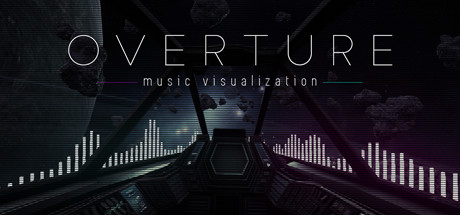
Overture Music Visualization captures audio from sources such as YouTube, Spotify, Pandora, and VLC, then generates real-time visual effects.
The Windows application includes 22 scenes spanning sci-fi, retro-futuristic, dystopian, space, and nature themes. Users can adjust lighting, color grading, post-processing effects, sensitivity, and color schemes, save preferred configurations, and create playlists that cycle through selected scenes at chosen intervals. A VR demo supports Oculus Rift headsets, motion-controller adjustments for eight effects, and sound-reactive object spawning. The application offers 3D and minimal scenes, with 3D scenes requiring more system resources. It works with stereo headphones and surround-sound speakers but not headphones that simulate surround sound.
How Overture Music Visualization plays
- 01Scene Library
- The application includes 22 visual scenes covering sci-fi, retro-futuristic, dystopian, space, and nature themes.
- 02Effect Customization
- Controls cover lighting, color grading, post-processing effects, sensitivity, and color schemes.
- 03Scene Playlists
- Saved effects can be arranged into playlists that rotate scenes at a specified interval.
- 04VR Demonstration
- The Oculus Rift demo uses motion controllers for eight effect adjustments and allows sound-reactive objects to be spawned.
- 05Audio Source Capture
- The application reacts to audio from sources including YouTube, Spotify, Pandora, and VLC.
Games like Overture Music Visualization
Casual Casual
Ithya: Magic Studies
BlueTurtleFor:Students who want a themed background for focused sessionsSkip if:Users seeking a full-featured project or task-management system may find the built-in tools limited to a task list, journal, timer, and Pomodoro timer. Casual
Old Friend
Wevr, IncFor:VR users seeking a short music-focused visual experienceSkip if:Players seeking combat, puzzles, or other conventional game objectives Casual
Kaiju
Minimal StudiosFor:Fans of ambient visual displays who want effects driven by system audio instead of a conventional game interface.Skip if:People looking for a game with goals, progression, or a campaign; Kaiju is an audio visualization collection.Picked by overlapping fit notes and genres, not an editorial comparison.
Overture Music Visualization: platforms & release
Is Overture Music Visualization worth it?
It is worth it if: music listeners who want reactive visuals rather than a conventional game. Skip it if: players seeking objectives, combat, progression, or other conventional game mechanics.
Where can I download Overture Music Visualization?
Use the Download Now button on this page: it opens Overture Music Visualization's store page, where you can choose how to get it.
What platforms is Overture Music Visualization on?
Windows only.