 Casual
Fit check
Is Decent Icons 2 worth it for you?
We tell you who should skip it, too.
Play it if you…
Good fit- Windows users who want a customizable launcher for games and software
- Desktop organizers who prefer image-based icons and categorized libraries
- Steam users interested in creating or sharing icon packs and mods
Skip it if you…
Saves you a refund- Users seeking a general-purpose photo editor rather than a launcher with image-based icon tools
- Users who want a conventional static shortcut list without visual customization or library browsing
- People using operating systems other than Windows 7 or later
Our take on Decent Icons 2
The creative freedom framing points to broad image editing, but the product’s scope is narrower: it creates launcher icons and organizes desktop items. The feature list also presents planned border packs and custom overlays alongside current tools, so those additions should not be treated as available now.
What is Decent Icons 2?
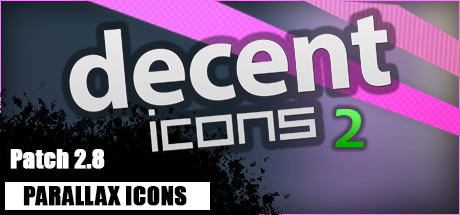
Decent Icons 2 is a Windows desktop dock and game launcher for organizing games, software, files, and folders into customizable icon categories.
Images can come from screenshots, wallpapers, box art, or fan art in JPG or PNG format, with scaling and cropping available in Edit Mode. Icons can use different sizes and shapes, titles, overlays, highlights, vignettes, bevels, reflections, and 3D parallax effects. Version 2 adds tabs, vertical layout, background mode, video previews with a built-in clip editor, and a search bar. Steam Workshop supports sharing icon packs and mods. The program supports eight languages, works offline after download, and can run without Steam.
How Decent Icons 2 plays
- 01Custom Icon Creation
- Images can be resized and cropped, then combined with titles, overlays, highlights, vignettes, bevels, and reflections.
- 02Desktop Organization
- Categories can contain games, software, files, and folders, with tabs and a vertical layout available.
- 03Video Previews
- The launcher includes video previews and a built-in tool for editing clips.
- 04Workshop Sharing
- Steam Workshop supports downloading, creating, and uploading icon packs and mods.
- 05Background Operation
- The render window hides when a fullscreen game or application is detected, while the program continues running in the background.
Games like Decent Icons 2
Casual Casual
Desktop Engine
Desktop StudioFor:Streamers who want animated desktop scenes tied to viewer interactionsSkip if:Users seeking a conventional static wallpaper tool may hit the editor and asset-configuration workflow as soon as they want to set up a scene. Casual
PAIcom (furry computer assistant)
Ovidiu DendrinoFor:Furry fans who want a voice-operated desktop companionSkip if:Users seeking open-ended conversation may hit a wall at the assistant's command-based interactions and predefined jokes. Casual
Infinite Widgets
Infinite Widgets TeamFor:Desktop users who want custom monitoring or media-control panelsSkip if:Users seeking a ready-made desktop dashboard rather than a tool for creating or configuring widgetsPicked by overlapping fit notes and genres, not an editorial comparison.
Decent Icons 2: platforms & release
Is Decent Icons 2 worth it?
It is worth it if: windows users who want a customizable launcher for games and software. Skip it if: users seeking a general-purpose photo editor rather than a launcher with image-based icon tools.
Where can I download Decent Icons 2?
Use the Download Now button on this page: it opens Decent Icons 2's store page, where you can choose how to get it.
What platforms is Decent Icons 2 on?
Windows only.