Fit check
Is Desktop Engine worth it for you?
We tell you who should skip it, too.
Play it if you…
Good fit- Streamers who want animated desktop scenes tied to viewer interactions
- Gamers who want characters and scenes layered onto a desktop background
- Desktop customizers who want to import and arrange 2D or 3D assets
Skip it if you…
Saves you a refund- Users seeking a conventional static wallpaper tool may hit the editor and asset-configuration workflow as soon as they want to set up a scene.
- People looking for a complete game-development environment may reach a limit when they need game creation rather than desktop character scenes.
- Users focused on desktop reminders may find the product's character, animation, and physics systems mismatched with that purpose.
- People who do not want to configure models, animations, or interactive reactions may find the customization system too involved.
Our take on Desktop Engine
The bounce point arrives during scene setup: users who only want a quick desktop companion may stop at model positioning, avatar configuration, animation assignment, and physics controls before reaching a finished layout.
What is Desktop Engine?
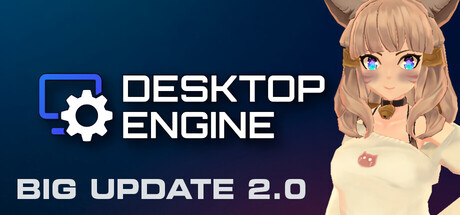
Desktop Engine turns a static desktop into an interactive scene with 2D and 3D characters, chat boxes, avatars, overlays, and animated backgrounds.
Its editor lets users import . vrm, . glb, and . gltf assets, configure models, create or customize avatars, position and resize characters, align them with windows, and lock layouts. A library provides hundreds of ready-made humanoid animations, while custom animations can also be assigned. The built-in physics system adds movement and reactions to models and objects. Mouse and eye tracking can control character gaze and head direction, and proximity to defined areas can trigger touch reactions. Ready-made content packs are available, and the software is intended for desktop personalization, streaming scenes, and gaming backgrounds.
How Desktop Engine plays
- 01Model positioning tools
- Characters can be moved, resized, rotated, aligned with windows, and fixed in place through a lock control.
- 02Avatar customization
- Users can make new avatars or modify existing ones.
- 03Animation controls
- The software includes hundreds of humanoid animations and supports assigning imported animations.
- 04Physics-based movement
- Configured physics rules give characters and objects reactions beyond static poses.
- 05Asset format support
- The software imports VRM, GLB, and GLTF models, including VRM characters made with VRoid Studio without conversion.
- 06Mouse interactions
- Characters can follow the cursor with their gaze and head movement, or react when the mouse approaches defined areas.
Desktop Engine compared to similar games
Digital Mate is presented as a desktop companion with interactive fun and reminders, while Desktop Engine focuses on building scenes from imported models, avatars, animations, overlays, and physics. Desktop Engine also provides mouse and eye tracking plus window and taskbar placement; Digital Mate's supplied description does not establish those tools.
Desktop Engine: platforms & release
Is Desktop Engine worth it?
It is worth it if: streamers who want animated desktop scenes tied to viewer interactions. Skip it if: users seeking a conventional static wallpaper tool may hit the editor and asset-configuration workflow as soon as they want to set up a scene.
Where can I download Desktop Engine?
Use the Download Now button on this page: it opens Desktop Engine's store page, where you can choose how to get it.
What platforms is Desktop Engine on?
Windows only.