 Simulation
Fit check
Is Discord Bot Builder worth it for you?
We tell you who should skip it, too.
Play it if you…
Good fit- People without programming skills who want to create Discord bots
- Discord users who want to build bots for music or entertainment
- Discord users who need block-based tools for moderation or server control
Skip it if you…
Saves you a refund- Developers who need direct code-level control rather than block-based bot construction
- People seeking a general-purpose application builder beyond Discord bot workflows
- Users who do not want to configure Discord Developer Portal credentials
Our take on Discord Bot Builder
The block-based approach reduces the need for programming but also limits the workflow to the functions exposed through its available blocks. Users seeking custom code-driven behavior may find that trade-off restrictive.
What is Discord Bot Builder?
Creates Discord bots through an interactive interface intended for people without programming skills.
The workflow requires Discord, a bot token, and Developer Mode for obtaining user, channel, and server IDs. Bot creation uses more than 220 blocks covering music, data, APIs, moderation, server control, file management, and other functions. Bots can support music, moderation, giveaways, and entertainment features. A bot token must be registered through the Discord Developer Portal. The software also provides an official Discord server, documentation, and Steam Community support. Selfbots are not permitted on Discord and may result in an account ban.
How Discord Bot Builder plays
- 01Visual bot creation
- The interface targets people who do not have programming skills.
- 02220-plus blocks
- Available blocks cover music, data, APIs, moderation, server controls, file handling, and other functions.
- 03Discord integration
- Running a bot requires Discord, a bot token, and Developer Mode for retrieving platform IDs.
- 04Support channels
- Help is available through an official Discord server, documentation, and Steam Community.
Games like Discord Bot Builder
Simulation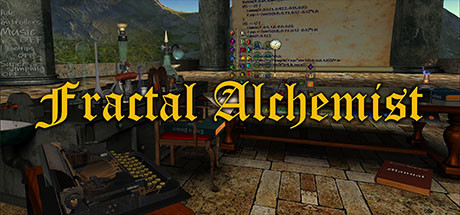 Simulation
Fractal Alchemist
San BaseFor:Beginners interested in fractals who do not want to start with mathematics or programmingSkip if:Users seeking a conventional game with a defined campaign, objectives, or progression Simulation
BM Studio
URUS GAMESFor:Beginning composers who want to create melodies with keyboard-triggered soundsSkip if:Composers seeking functions beyond selecting, assigning, tuning, and triggering sounds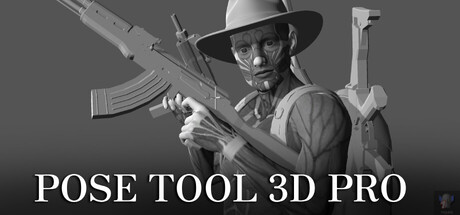 Simulation
Pose Tool 3D Pro
alienthink.comFor:Artists creating human figure references for illustration or comicsSkip if:Users seeking a full 3D modeling or sculpting application rather than a figure posing toolPicked by overlapping fit notes and genres, not an editorial comparison.
Discord Bot Builder: platforms & release
Is Discord Bot Builder worth it?
It is worth it if: people without programming skills who want to create Discord bots. Skip it if: developers who need direct code-level control rather than block-based bot construction.
Where can I download Discord Bot Builder?
Use the Download Now button on this page: it opens Discord Bot Builder's store page, where you can choose how to get it.
What platforms is Discord Bot Builder on?
Windows only.