Fit check
Is BM Studio worth it for you?
We tell you who should skip it, too.
Play it if you…
Good fit- Beginning composers who want to create melodies with keyboard-triggered sounds
- Students exploring sound selection, button assignment, and tone changes
- Game-development hobbyists who want to use custom sounds in a melody tool
Skip it if you…
Saves you a refund- Composers seeking functions beyond selecting, assigning, tuning, and triggering sounds
- Users looking for a melody tool with a broader workflow than keyboard-based playback
- People who do not want to add custom sounds through a project directory
Our take on BM Studio
The defining detail is its keyboard launcher: assigned sounds are played directly from keyboard buttons, making key presses the central structure for creating a melody.
What is BM Studio?
BM Studio is a program for composing melodies with a computer keyboard.
Sounds from the application’s list can be assigned to buttons, while a scrollbar changes the tone of a sound. Pressing the keyboard plays the assigned sounds, allowing the keyboard to act as a launcher for a melody. Custom sounds can also be added by placing them in the Audio folder within the project directory. Once added there, the sound appears in the application’s list for use.
How BM Studio plays
- 01Keyboard Sound Assignment
- Sounds from the application list can be assigned to individual keyboard buttons.
- 02Tone Control
- A scrollbar changes the tone of a selected sound.
- 03Custom Sound Addition
- Sounds placed in the project directory’s Audio folder appear in the application list.
BM Studio compared to similar games
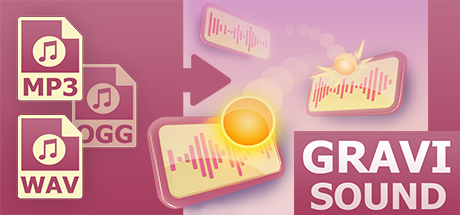
BM Studio assigns sounds to keyboard buttons and changes their tones, while GraviSound places sounds on tracks and changes the shape of those tracks. BM Studio also adds sounds through the project’s Audio folder, whereas GraviSound describes dragging sounds from an explorer onto its track field.
BM Studio: platforms & release
Is BM Studio worth it?
It is worth it if: beginning composers who want to create melodies with keyboard-triggered sounds. Skip it if: composers seeking functions beyond selecting, assigning, tuning, and triggering sounds.
Where can I download BM Studio?
Use the Download Now button on this page: it opens BM Studio's store page, where you can choose how to get it.
What platforms is BM Studio on?
Windows only.