 Simulation
Fit check
Is Phoenix Pro Theater Media Player worth it for you?
We tell you who should skip it, too.
Play it if you…
Good fit- Movie viewers who want to customize a home theater scene rather than use a standard video player.
- People with movies stored on a PC or laptop who want seating, lighting, and upholstery choices during playback.
- Viewers who want controls for changing movie brightness, color tone, or character clothing colors.
Skip it if you…
Saves you a refund- Viewers looking for a straightforward player may hit a wall when choosing among theater seating, lighting, and appearance settings.
- People who want to watch films without visual alterations may find the character-color and movie-tone controls unnecessary or distracting.
- Viewers whose movies are not among the 12 supported video formats may be unable to play them.
Our take on Phoenix Pro Theater Media Player
The point of friction is the theater customization itself: viewers who only want to open a movie and press play may find the seating, lighting, and appearance controls more involved than they need.
What is Phoenix Pro Theater Media Player?
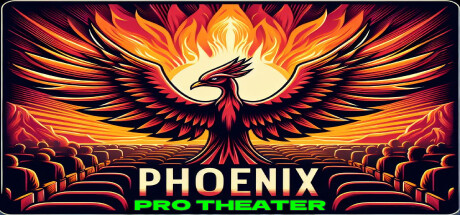
Phoenix Pro Theater plays movies stored on a PC or laptop in a customizable theater setting.
Viewers can select seats from six zones, choose from 15 leather upholstery styles, and adjust the wall lighting using six colors. Playback controls include changes to movie brightness and color tone, plus a setting that changes the colors of characters’ clothing. The theater includes surround sound and animated audience visuals, and its ambient lighting responds to the movie’s brightness and color. A control panel presents the available choices, with an LCD display showing selections. The player supports 12 video formats, vertical playback, rotation, and flipping. It also supports Full HD, 4K, and 8K video, and can resume from the last playback position.
How Phoenix Pro Theater Media Player plays
- 01Six seating zones
- Seats are grouped into front and rear positions, each with left, middle, and right options.
- 02Custom theater lighting
- Choose among six wall-light colors, with ambient lighting that responds to the movie’s brightness and color.
- 03Character color changes
- A color-theme setting lets viewers alter the clothing colors of movie characters.
- 04Video playback controls
- The player supports vertical video, rotation, flipping, and resuming from the last played position.
Games like Phoenix Pro Theater Media Player
Simulation Simulation
Cmoar VR Cinema
Pixel Edge GamesFor:VR viewers who prefer films in simulated cinema environmentsSkip if:Players seeking objectives, challenges, or character progression Simulation
EasyMMD
Megu StudioFor:MMD fans who want to view animations in VR rather than only on a monitorSkip if:Users seeking a deep character-animation authoring suite with advanced production controls Simulation
Qyllscape
Eric DavidsonFor:Authors who want a book-like writing interface instead of a standard document editorSkip if:Writers who require rich-text formatting in the current versionPicked by overlapping fit notes and genres, not an editorial comparison.
Phoenix Pro Theater Media Player: platforms & release
Is Phoenix Pro Theater Media Player worth it?
It is worth it if: movie viewers who want to customize a home theater scene rather than use a standard video player. Skip it if: viewers looking for a straightforward player may hit a wall when choosing among theater seating, lighting, and appearance settings.
Where can I download Phoenix Pro Theater Media Player?
Use the Download Now button on this page: it opens Phoenix Pro Theater Media Player's store page, where you can choose how to get it.
What platforms is Phoenix Pro Theater Media Player on?
Windows only.