 Simulation
Fit check
Is Vermillion - VR Painting worth it for you?
We tell you who should skip it, too.
Play it if you…
Good fit- VR users who want a simulated oil-painting studio rather than a general art application
- Traditional painting learners who want browser references, guided instruction, or paint-by-numbers templates
- Social VR groups of up to four people who want to paint together
Skip it if you…
Saves you a refund- Artists seeking a broad digital-art toolkit beyond oil-painting methods, brushes, layers, and related exports
- Players looking for an action-focused game or varied mission structure instead of an open-ended painting activity
- Users without compatible VR equipment or interest in painting in virtual reality
Our take on Vermillion - VR Painting
The focus on wet-on-wet oil painting gives the studio a specific working method, but narrows its scope compared with general-purpose digital art software. The four-layer limit also constrains projects that depend on many independently editable elements.
What is Vermillion - VR Painting?
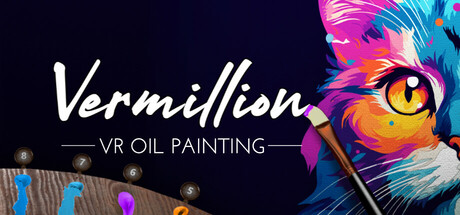
Vermillion simulates an oil painting studio in VR, with wet-on-wet mixing on the palette and canvas, multiple brushes, pressure-sensitive marks, and a hand-steadying tool.
Paintings can use up to four layers that can be merged or reordered. An integrated web browser supports reference images, YouTube paint-alongs, and canvas projection for tracing. Paint-by-numbers templates can be generated from local or online images, with palettes containing between 2 and 20 matching colors. Multiplayer supports painting with up to three other people, including Quest 2 cross-platform play. Finished work can be mounted in virtual studios, exported as images up to 8k, or saved as 3D models for VR homes and social VR applications.
How Vermillion - VR Painting plays
- 01Wet-on-wet mixing
- Colors blend on both the palette and canvas, with dry-brush controls for further blending and moving paint.
- 02Paint-by-numbers templates
- Templates from local or online images generate outlines and palettes containing between 2 and 20 required colors.
- 03Multiplayer studio
- Up to four people can paint together, with Quest 2 cross-platform support and public rooms.
- 04Integrated browser
- The easel browser displays online or local references and can project them onto the canvas.
- 05Layered painting
- Four separate layers can be merged and reordered for detail work.
- 06Painting exports
- Finished pieces can be exported as images up to 8k or as 3D models for VR and social applications.
- 07VR game overlay
- The SteamVR overlay allows painting inside other VR games, with overlay compatibility for multiplayer sessions.
Games like Vermillion - VR Painting
Simulation Simulation
Painting VR
Oisoi StudioFor:People seeking open-ended painting without a defined subject or objective.Skip if:Players looking for campaign progression, defined objectives, or a win condition. Simulation
vHand
2w Computer SystemsFor:Streamers who want a visible simulated hand in drawing broadcastsSkip if:Users seeking a full drawing application rather than a hand-motion simulation and capture overlay Simulation
ViveSpray 2
ciwolseyFor:VR users interested in making graffiti-style artwork rather than playing a conventional action gameSkip if:Players seeking mission-based goals or a campaign structurePicked by overlapping fit notes and genres, not an editorial comparison.
Vermillion - VR Painting: platforms & release
Is Vermillion - VR Painting worth it?
It is worth it if: VR users who want a simulated oil-painting studio rather than a general art application. Skip it if: artists seeking a broad digital-art toolkit beyond oil-painting methods, brushes, layers, and related exports.
Where can I download Vermillion - VR Painting?
Use the Download Now button on this page: it opens Vermillion - VR Painting's store page, where you can choose how to get it.
What platforms is Vermillion - VR Painting on?
Windows only.