 Strategy
Fit check
Is Tower! Simulator 3 worth it for you?
We tell you who should skip it, too.
Play it if you…
Good fit- Aviation enthusiasts who want to direct aircraft and ground movements
- Multiplayer groups who want to divide air traffic control responsibilities
- Players who enjoy customizing airport schedules, airlines, and operations
Skip it if you…
Saves you a refund- Players seeking action-focused gameplay rather than deliberate traffic management
- Those looking for a short, linear game instead of repeated airport-control sessions
- Players wanting activities outside air traffic control and airport operations
Our take on Tower! Simulator 3
The listing foregrounds voice control, but the newer speech recognizer is optional and inactive by default. The existing recognizer remains in use until the setting is changed, making the highlighted update less immediate than the presentation suggests.
What is Tower! Simulator 3?
Tower!
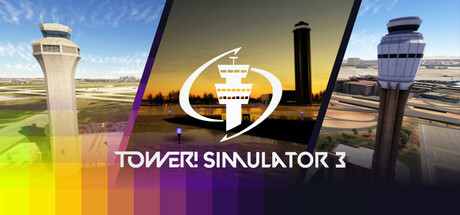
Simulator 3 is an air traffic control simulation focused on managing aircraft movements at 11 included airports. Players handle departures, arrivals, taxiing, runway crossings, gate assignments, and ground traffic while communicating with pilots through voice commands. Multiplayer supports shared control duties across ground, tower, and departure operations. The game presents airport activity from a 3D tower environment and includes tools for changing schedules, airlines, strips, liveries, terminals, and other airport operations. Lighting changes according to day, night, and weather conditions. The updated pilot voices run locally on the PC. A newer speech recognition mode is also available as an optional setting, while the existing recognizer remains active by default. Multi-monitor support and community-created airport content are included.
How Tower! Simulator 3 plays
- 01Eleven included airports
- The base game covers locations including LaGuardia, Los Angeles International, Stuttgart, and Velana International.
- 02Shared controller duties
- Multiplayer allows participants to divide ground, tower, and departure responsibilities during live sessions.
- 03Optional speech recognition
- The newer recognition engine must be selected in the settings because the existing recognizer is enabled initially.
- 04Locally generated voices
- The updated pilot voice system operates on the PC without an internet connection or subscription.
- 05Airport operation editing
- Customization covers schedules, airlines, strips, liveries, terminals, and other airport activity.
- 06Multiple monitor support
- The simulator can extend its control workspace across more than one display.
Games like Tower! Simulator 3
Strategy Strategy
ATC Ground Point
BlueonFor:Players interested in airport operations who want ground-control simulationSkip if:Players seeking a story-driven campaign or character-focused progression Strategy
Final Approach
Phaser Lock InteractiveFor:VR players who want to manage aircraft and airport trafficSkip if:Players seeking a long-form aviation simulation with more than the stated 6 hours of gameplay Strategy
Air Traffic: Greenlight
GyroXFor:Players interested in air-traffic control who want to direct flights under limited radar coverage.Skip if:Players who want direct visibility of every aircraft may hit a wall when planes move beyond radar range but remain under their control.Picked by overlapping fit notes and genres, not an editorial comparison.
Tower! Simulator 3: platforms & release
Is Tower! Simulator 3 worth it?
It is worth it if: aviation enthusiasts who want to direct aircraft and ground movements. Skip it if: players seeking action-focused gameplay rather than deliberate traffic management.
Where can I download Tower! Simulator 3?
Use the Download Now button on this page: it opens Tower! Simulator 3's store page, where you can choose how to get it.
What platforms is Tower! Simulator 3 on?
Windows only.