 Sports
Fit check
Is Stop Sign VR Tools worth it for you?
We tell you who should skip it, too.
Play it if you…
Good fit- SteamVR players who want safety warnings around physical equipment
- Mixed VR users who need boundary alerts while playing
- VR players who frequently need quick views of the room or controllers
Skip it if you…
Saves you a refund- Players seeking a standalone game with levels, characters, or a campaign
- Users who want a single-purpose interface rather than several configurable overlays and warning systems
- Players using WMR or Oculus headsets who specifically require Cam Circle
Our take on Stop Sign VR Tools
Rather than adding another playable world, this Action/Sports-tagged VR product operates alongside SteamVR games. Its structure replaces conventional gameplay with configurable overlays for room awareness, boundary proximity, and physical-object warnings.
What is Stop Sign VR Tools?
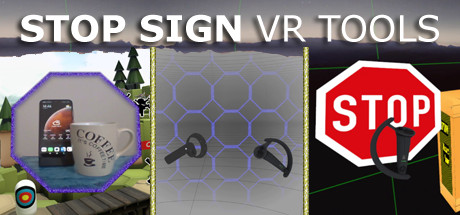
Stop Sign VR Tools provides separate overlays that operate during SteamVR games.
Cam Circle uses the headset cameras to display a live, circular pass-through image; it can be triggered by tapping the headset twice or pressing the two grip buttons together. Boundary++ brings up a warning grid as the player nears walls or ceilings and can import WMR boundaries or Oculus Guardian data. Warning Boxes are placed around physical items such as TVs, fans, and lights. During play, a prediction system uses audio, visual cues, and haptics to signal potential collisions.
A heads-up display also alerts players who are backing toward a boundary or box. Basic controls are in the SteamVR dashboard. More settings, including options to create and edit virtual boxes, are managed with a separate Windows Settings Editor.
How Stop Sign VR Tools plays
- 01Real-world camera view
- Cam Circle can show a live view through headset cameras, with 3D pass-through on Index and Vive Pro and monoscopic video on Vive.
- 02Boundary proximity warnings
- Boundary++ displays warnings only near walls and ceilings and supports native SteamVR, WMR, Oculus PC-connected, and mixed headset-controller setups.
- 03Virtual impact boxes
- Configured boxes mark physical equipment and can fade according to individually set visibility distances.
- 04Multichannel collision alerts
- Possible impacts can trigger spatialized sound, visual warnings, and haptic feedback.
- 05Overlay content support
- Boxes can display content from overlay applications such as fpsVR and Desktop+.
- 06Windows settings editor
- A separate Windows program can add, remove, edit, and fine-tune virtual boxes outside VR.
Games like Stop Sign VR Tools
Sports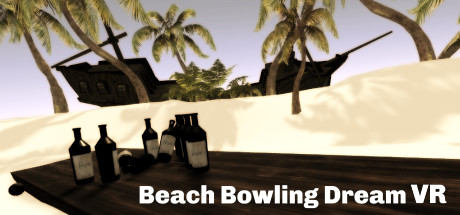 Sports
Beach Bowling Dream VR
Lucid Dreams VR, LLCFor:Bowling fans who want a recreational VR activity rather than a detailed simulationSkip if:Experienced VR players seeking spin physics, scoring systems, or deeper simulation mechanics Sports
The Thrill of the Fight - VR Boxing
Halfbrick Studios Pty LtdFor:VR players with a room measuring at least 2m by 2m who want a physical boxing gameSkip if:Players looking for joystick-based movement rather than physically moving around a room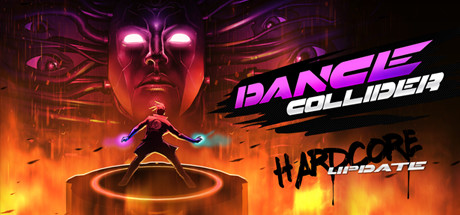 Sports
Dance Collider
emergeWorldsFor:VR rhythm fans who want physically active dance battlesSkip if:Players seeking exploration or a story-driven structure rather than repeated dance battlesPicked by overlapping fit notes and genres, not an editorial comparison.
Stop Sign VR Tools: platforms & release
Is Stop Sign VR Tools worth it?
It is worth it if: steamVR players who want safety warnings around physical equipment. Skip it if: players seeking a standalone game with levels, characters, or a campaign.
Where can I download Stop Sign VR Tools?
Use the Download Now button on this page: it opens Stop Sign VR Tools's store page, where you can choose how to get it.
What platforms is Stop Sign VR Tools on?
Windows only.