 RPG
RPGFit check
Is Photographer worth it for you?
We tell you who should skip it, too.
Play it if you…
Good fit- Painting learners who want staged 3D references rather than drawing from observation alone
- AI image creators who want to shape prompts using composed scenes
- Character designers who need to arrange poses, expressions, and outfits
Skip it if you…
Saves you a refund- Users looking for a guided drawing course may hit a wall after setting up a scene, since the tool provides references rather than lessons.
- Those expecting a full image editor may find the workflow stops at composing scenes and exporting screenshots.
- Players seeking a progression-focused game may find little here beyond building and framing visual references.
Our take on Photographer
The likely bounce point is the transition from scene setup to finished artwork: the tool supplies composed 3D references and screenshot exports, but the described workflow does not include drawing or editing the resulting image. Users expecting those steps inside the same application may hit a wall once a reference is ready.
What is Photographer?
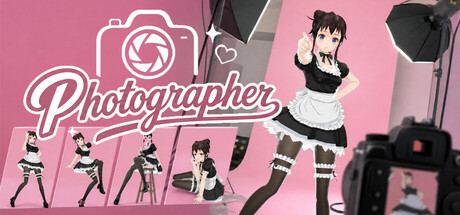
Photographer is a 3D composition and reference tool for artists and AI image creators.
Users build virtual studios, customize characters' appearances and outfits, and adjust their poses and facial expressions. Free camera control allows scenes to be framed from different angles, while lighting effects, environments, and props provide options for arranging a composition. Rendered scenes can be exported as screenshots for reference in hand painting, digital drawing, or perspective practice. AI image creators can also use scenes to refine prompts. Steam Workshop resources extend the available content. The stated audience includes painting learners, AI art creators, character designers, and people interested in composition.
How Photographer plays
- 01Character customization
- Appearance, clothing, body position, and facial expressions can be adjusted for a scene.
- 02Camera and lighting
- Free camera movement and lighting effects support framing scenes from multiple angles.
- 03Scenes and props
- Environments and props add elements to compositions.
- 04Screenshot export
- Rendered compositions can be saved as image references for creative work.
- 05Steam Workshop resources
- Workshop content can be used to expand the resources available for scenes.
Games like Photographer
RPG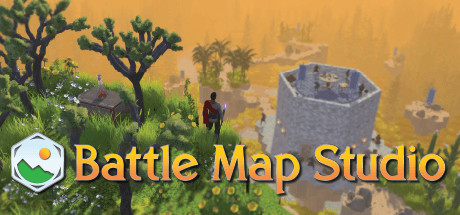 RPG
RPGBattle Map Studio
Bradley ShepherdFor:Tabletop RPG groups who want to build and play on shared digital mapsSkip if:Players seeking a traditional campaign with a fixed story, progression system, or combat-focused structure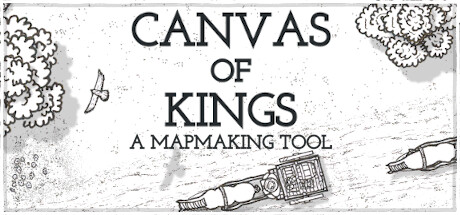 RPG
RPGCanvas of Kings
Hannes BreuerFor:Game masters who want to assemble fantasy maps from paths, plots, and placed objectsSkip if:Creators seeking fully procedural map generation rather than guided layouts with automatic placement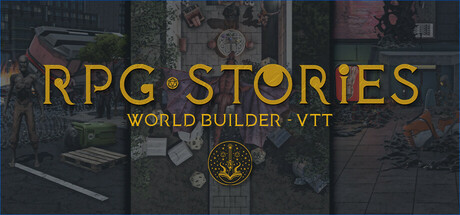 RPG
RPGRPG Stories
Brave Alice GamesFor:Tabletop RPG Game Masters who want to build and run 3D online sessionsSkip if:Players seeking a fixed single-player RPG campaign rather than a world-building and tabletop session toolPicked by overlapping fit notes and genres, not an editorial comparison.
Photographer: platforms & release
Is Photographer worth it?
It is worth it if: painting learners who want staged 3D references rather than drawing from observation alone. Skip it if: users looking for a guided drawing course may hit a wall after setting up a scene, since the tool provides references rather than lessons.
Where can I download Photographer?
Use the Download Now button on this page: it opens Photographer's store page, where you can choose how to get it.
What platforms is Photographer on?
Windows only.