 RPG
RPGFit check
Is Battle Map Studio worth it for you?
We tell you who should skip it, too.
Play it if you…
Good fit- Tabletop RPG groups who want to build and play on shared digital maps
- Solo creators who want terrain, buildings, characters, and props in one editor
- Tilt Five users who want a holographic tabletop map workspace
Skip it if you…
Saves you a refund- Players seeking a traditional campaign with a fixed story, progression system, or combat-focused structure
- Creators who prefer quick, minimal map tools over layered construction, asset placement, and scene setup
- Users who do not need tabletop RPG preparation or collaborative map building
Our take on Battle Map Studio
The editor trades a fixed adventure structure for open-ended creation. That gives campaigns room for custom maps, characters, and rules, but leaves progression, story direction, and much of the play experience to the group.
What is Battle Map Studio?
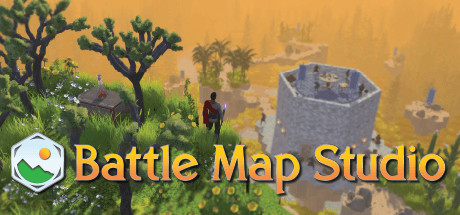
Battle Map Studio combines a map editor with an RPG sandbox for creating tabletop environments.
Paint terrain, generate large areas, construct furnished buildings, and arrange characters, monsters, and props. Maps support square or hex coordinates, multiple layers, lighting, fog, time-of-day settings, and team-only line of sight. The editor includes column and voxel building modes, an auto-room tool, and environment export as a 3D model. Players can work alone or build together online, assign GM and player roles, roll 3D dice, and edit character sheets. Custom FBX, OBJ, STL, Asset Bundle (. unity3d), PNG, and JPG files can be imported. Maps can be shared through the Steam Workshop.
How Battle Map Studio plays
- 01Layered Map Building
- Stack terrain and props to create multilevel structures, floating areas, and underground spaces.
- 02Custom Asset Imports
- Use FBX, OBJ, STL, Asset Bundle (.unity3d), PNG, and JPG files for characters, props, or tokens.
- 03Online Co-building
- Multiple players can edit the same world together in real time.
- 04Tabletop RPG Tools
- The editor includes character sheets, 3D dice with automatic totals, player roles, and team-based visibility.
- 05Tilt Five Support
- One device can connect up to 4 Tilt Five headsets and wands.
- 06Workshop Sharing
- Completed maps can be published through the Steam Workshop.
Games like Battle Map Studio
RPG RPG
RPGChronos Builder
Mistwall StudioFor:Tabletop game masters who want custom 3D environmentsSkip if:Users seeking a conventional video game with character progression or combat RPG
RPGTabletop Playground
ModularityFor:Tabletop groups who want to play online with up to 16 participantsSkip if:Players looking for a fixed, authored campaign may find the focus on adaptable tabletop sessions limiting. RPG
RPGTaleSpire
Bouncyrock EntertainmentFor:Tabletop RPG groups who want to play together onlineSkip if:Players seeking a self-contained RPG with a fixed story, ruleset, and progression may find the open-ended tabletop format too unstructured.Picked by overlapping fit notes and genres, not an editorial comparison.
Battle Map Studio: platforms & release
Is Battle Map Studio worth it?
It is worth it if: tabletop RPG groups who want to build and play on shared digital maps. Skip it if: players seeking a traditional campaign with a fixed story, progression system, or combat-focused structure.
Where can I download Battle Map Studio?
Use the Download Now button on this page: it opens Battle Map Studio's store page, where you can choose how to get it.
What platforms is Battle Map Studio on?
Windows and macOS.