 Simulation
Fit check
Is Desktop Kanojo worth it for you?
We tell you who should skip it, too.
Play it if you…
Good fit- Desktop customization fans who want an animated companion rather than a conventional game
- Users with VRM models who want to place custom characters on the desktop
- Creative Workshop users who want to exchange character models, actions, or voices
Skip it if you…
Saves you a refund- Players seeking a conventional game with a campaign, objectives, or progression
- Users wanting deep management, strategy, or role-playing systems across repeated sessions
- People without VRM models who want extensive custom-character importing
Our take on Desktop Kanojo
The presentation emphasizes costumes, actions, physical effects, and community content, while the core experience is a desktop mascot with click-based interaction. Custom imports also require a VRM model file, so that part of the customization workflow depends on that format.
What is Desktop Kanojo?
Desktop Kanojo places a mascot on the desktop for interaction through mouse clicks and independent character behavior.
Characters can move, rotate, and change size, with physical effects that simulate movement. The software includes more than 40 actions, over 30 Chinese-Japanese language packs, costume changes, and an alarm function. Local custom models can be imported when provided in VRM format. Creative Workshop supports sharing and downloading models, actions, and voices, including combinations that link actions and voices. Multi-display use is supported. Double-clicking stops the current action. The vendor also provides steps for addressing a black-screen issue by changing settings in the dvidia panel.
How Desktop Kanojo plays
- 01Custom model imports
- Local VRM model files can be added as desktop characters.
- 02Workshop sharing
- Creative Workshop supports uploading and downloading models, actions, and voices.
- 03Character customization
- Characters can change costumes and be moved, rotated, or resized.
- 04Action library
- The software includes more than 40 actions and over 30 Chinese-Japanese language packs.
- 05Desktop alarms
- An alarm function is included alongside the mascot interactions.
- 06Multi-display support
- The mascot can be used across multiple displays.
Games like Desktop Kanojo
Simulation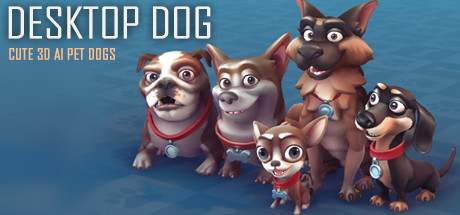 Simulation
Desktop Dog
XDesktopSoftFor:Desktop pet fans who want dogs present during other computer activitiesSkip if:Players seeking a structured campaign, progression system, or goal-driven simulation Simulation
ChatWaifu
XDesktopSoftFor:People seeking an offline AI voice companion who want spoken interaction rather than text-only chat.Skip if:Those seeking a structured game with levels, objectives, or a defined progression may find this companion software lacks that kind of gameplay structure. Simulation
Ai Vpet
uemeshFor:Desktop-pet fans who want AI conversation rather than a purely decorative characterSkip if:Users seeking a focused productivity tool rather than a conversational desktop companionPicked by overlapping fit notes and genres, not an editorial comparison.
Desktop Kanojo: platforms & release
Is Desktop Kanojo worth it?
It is worth it if: desktop customization fans who want an animated companion rather than a conventional game. Skip it if: players seeking a conventional game with a campaign, objectives, or progression.
Where can I download Desktop Kanojo?
Use the Download Now button on this page: it opens Desktop Kanojo's store page, where you can choose how to get it.
What platforms is Desktop Kanojo on?
Windows only.