 Simulation
Fit check
Is Chinese Brush Simulator worth it for you?
We tell you who should skip it, too.
Play it if you…
Good fit- Players interested in Chinese brush art who want to try it through a computer simulation
- Chinese culture enthusiasts who prefer a hands-on drawing activity
- Simulation game fans seeking a focused brush-writing and drawing experience
Skip it if you…
Saves you a refund- Players seeking the feel or technique of working with a real Chinese brush, since the simulated brush differs from one
- Players who prefer activities beyond a focused writing and drawing simulator may find its scope limited
- Players who are not comfortable using a mouse
- Players with low-spec computer hardware
Our take on Chinese Brush Simulator
The digital format makes brush practice possible with mouse controls, but it cannot reproduce all the differences of a physical brush. That trade-off narrows its use as a traditional technique practice tool: the simulation offers control over water and ink effects, while real-brush study requires an actual brush.
What is Chinese Brush Simulator?
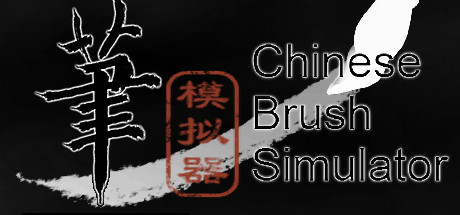
Chinese Brush Simulator recreates brush writing and drawing through mouse controls.
It models how the brush changes shape as it moves across paper, along with water spreading and sticky ink used for dry marks. Players adjust the water-to-ink ratio to produce different effects, then can display a completed drawing on a study wall. A picture can serve as a background or as a reference for copying. The simulation focuses on Chinese brush techniques, but the developer notes that its virtual brush differs from a real one and suggests using an actual brush to learn the traditional practice.
How Chinese Brush Simulator plays
- 01Water and ink control
- Adjusting their proportions changes the effects on the paper, including dry marks from sticky ink.
- 02Picture references
- An image can sit behind a drawing or serve as a copying guide.
- 03Display finished drawings
- Completed work can be hung on a study wall within the game.
Games like Chinese Brush Simulator
Simulation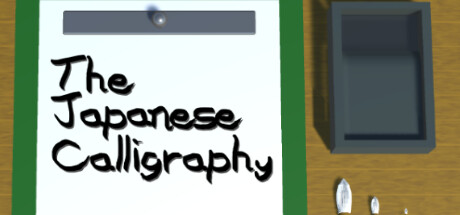 Simulation
The Japanese Calligraphy
NoraPerikaProjectFor:Japanese learners who want guided kana and kanji writing exercisesSkip if:Players looking for a broad game structure beyond writing exercises, tests, copying, and free writing Simulation
New Year's Eve 2020
Sigma PublisherFor:Fans of quiet simulations who prefer a calendar-based event to a long campaign.Skip if:Players seeking a long-term progression loop may find the experience centered on a single calendar event. Simulation
toz
Ismail DonerFor:Players who enjoy watching simulated element interactions without building elaborate scenesSkip if:Players looking for a structured campaign or mission-based progressionPicked by overlapping fit notes and genres, not an editorial comparison.
Chinese Brush Simulator: platforms & release
Is Chinese Brush Simulator worth it?
It is worth it if: players interested in Chinese brush art who want to try it through a computer simulation. Skip it if: players seeking the feel or technique of working with a real Chinese brush, since the simulated brush differs from one.
Where can I download Chinese Brush Simulator?
Use the Download Now button on this page: it opens Chinese Brush Simulator's store page, where you can choose how to get it.
What platforms is Chinese Brush Simulator on?
Windows only.