 Other
OtherFit check
Is Textreme 2 worth it for you?
We tell you who should skip it, too.
Play it if you…
Good fit- Writers who want animated feedback while editing text
- Note-takers who prefer visual effects and animated highlighting
- Users working in left-to-right writing systems
Skip it if you…
Saves you a refund- Users seeking a conventional, distraction-free text editor may find the frequent animations intrusive.
- People who need right-to-left writing support cannot currently use that text direction.
- Users looking for a full document-production suite may find its stated scope centered on text editing, notes, and essays.
Our take on Textreme 2
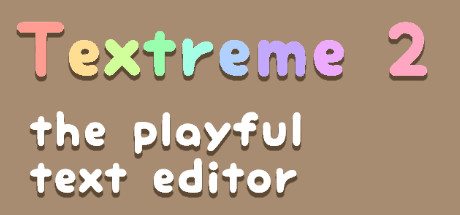
Text editors usually keep interaction visually restrained; this one turns routine actions into animated events, adds character reactions, and gives highlighting a moving presentation. It replaces the quiet document window with a reactive layer that can also be adjusted or switched off piece by piece.
What is Textreme 2?
Textreme 2 is a text editor for writing and editing notes, essays, and other documents.
Typing, deleting, pasting, saving, and other editor actions trigger animated visual effects. Four characters react to activity, including punctuation interactions and responses to keyboard shortcuts. Five animated highlighters add motion to notes. Effects can be customized and turned off individually. The editor supports almost all alphabets, but right-to-left writing is not currently supported because of engine limitations, which can make languages using those scripts awkward to type. The vendor says this limitation is planned to change when the engine supports it.
How Textreme 2 plays
- 01Action-based animations
- Typing, deleting, pasting, saving, and other editing activity can trigger visual effects.
- 02Reactive characters
- Four characters respond to editor activity, punctuation use, and keyboard shortcuts.
- 03Animated highlighters
- Five animated highlighting tools add visual motion to notes.
- 04Effect customization
- Each visual effect can be adjusted or disabled separately.
- 05Alphabet support
- The editor supports almost all alphabets, while right-to-left text is currently unsupported.
Games like Textreme 2
Other Other
OtherCV Maker for Windows
Individual SoftwareFor:Job seekers who want CV and cover-letter tools in one applicationSkip if:Users who need a general-purpose document editor rather than a CV-focused workflow may hit its scope limits when working on unrelated documents. Other
OtherDry Erase: Infinite VR Whiteboard
SilvrFor:Solo VR users who want a private space for notes and sketchesSkip if:Users seeking structured project-management features may hit a wall because the workspace centers on drawing, imports, recording, and export. Other
OtherVRM Dance Dream MV
MaruFor:VRM avatar creators who want to produce dance music videosSkip if:Creators who need detailed manual control over every camera movementPicked by overlapping fit notes and genres, not an editorial comparison.
Textreme 2: platforms & release
Is Textreme 2 worth it?
It is worth it if: writers who want animated feedback while editing text. Skip it if: users seeking a conventional, distraction-free text editor may find the frequent animations intrusive.
Where can I download Textreme 2?
Use the Download Now button on this page: it opens Textreme 2's store page, where you can choose how to get it.
What platforms is Textreme 2 on?
Windows, macOS and Linux.