
Fit check
Is VRM Dance Dream MV worth it for you?
We tell you who should skip it, too.
Play it if you…
Good fit- VRM avatar creators who want to produce dance music videos
- Users working with VRoid Hub models who need an automated video workflow
- MMD beginners who want to assemble scenes without managing camera work manually
Skip it if you…
Saves you a refund- Creators who need detailed manual control over every camera movement
- Users seeking a broad video editor rather than a focused avatar dance-MV workflow
- Creators whose assets are unavailable in the supported model, motion, audio, or stage formats
Our take on VRM Dance Dream MV
Automating camera direction reduces the need for manual staging, but that convenience also limits control over how each shot is composed. The tool prioritizes quick assembly from selected assets rather than detailed, hands-on cinematography.
What is VRM Dance Dream MV?
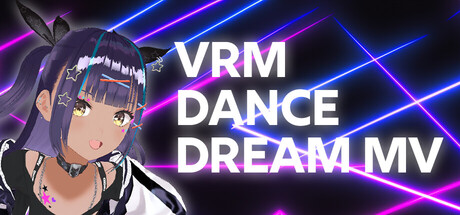
Create dance music videos with VRM avatars by selecting an avatar, dance, music track, stage, and effects.
The tool supports VRoid Hub models, VRM 1. 0, and imported motion data in BVH, FBX, VMD, and VRMA formats. Music can be supplied as MP3 or WAV, while stages use GLB files. Automatic camera direction and post-effects are included, and finished videos can be exported as MP4 files. The workflow is also intended for checking model movement and for users who find MMD operations difficult. Imported assets may be used commercially, subject to the terms set by their creators or distributors.
How VRM Dance Dream MV plays
- 01Avatar compatibility
- Use models from VRoid Hub and import VRM files, including support for VRM 1.0.
- 02Motion file support
- Import dance and movement data in BVH, FBX, VMD, or VRMA formats.
- 03Music and stages
- Add MP3 or WAV audio and use GLB files for stage content.
- 04Automated camera work
- The software generates camera movement and includes post-effects for the video scene.
- 05MP4 export
- Render completed music videos as MP4 files.
VRM Dance Dream MV compared to similar games
MovieMator Video Editor Pro is a general video editor with keyframe-based animation effects and basic editing, while VRM Dance Dream MV focuses on assembling avatar dance videos from models, motions, music, stages, and effects. The two tools therefore differ between general footage editing and a specialized VRM-centered creation workflow.
VRM Dance Dream MV: platforms & release
Is VRM Dance Dream MV worth it?
It is worth it if: VRM avatar creators who want to produce dance music videos. Skip it if: creators who need detailed manual control over every camera movement.
Where can I download VRM Dance Dream MV?
Use the Download Now button on this page: it opens VRM Dance Dream MV's store page, where you can choose how to get it.
What platforms is VRM Dance Dream MV on?
Windows and macOS.