 Simulation
Fit check
Is Sword Maker worth it for you?
We tell you who should skip it, too.
Play it if you…
Good fit- Fantasy weapon enthusiasts who want to assemble sword illustrations from individual parts
- Illustrators who prefer resizing and coloring components instead of drawing a sword from scratch
- Sword-design hobbyists interested in sharing or modifying designs through a server
Skip it if you…
Saves you a refund- People seeking combat, missions, or character progression rather than a sword illustration app
- Users looking for a general-purpose drawing tool instead of a focused sword-assembly workflow
- Anyone who needs saved image or server connection information to remain recoverable after uninstalling
Our take on Sword Maker
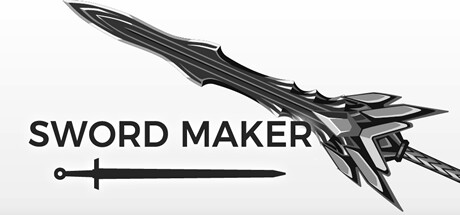
The defining format is a sword assembled from a blade, tsuba, handle, head, and decorations. These elements can be resized and colored before the finished illustration is saved.
What is Sword Maker?
Sword Maker is an app for creating fantasy sword illustrations from separate components.
The process uses a blade, tsuba, handle, head, and decorations, with each part selected and placed in sequence. Parts can be resized freely and colored. Finished illustrations can be saved as PNG images, whose size depends on the screen resolution. Sword data can be uploaded to the server for sharing with other users, while downloaded sword data can be customized. Image information and server connection information are stored on the device and cannot be recovered after the app is uninstalled.
How Sword Maker plays
- 01Part-based assembly
- Create a sword by selecting a blade, tsuba, handle, head, and decorations.
- 02Resizable components
- Change the size of each selected sword part before finishing the illustration.
- 03Color customization
- Apply a preferred color to the sword illustration.
- 04Server sharing
- Upload sword data for sharing and download existing data for customization.
- 05PNG saving
- Save completed illustrations as PNG files, with dimensions dependent on screen resolution.
Games like Sword Maker
Simulation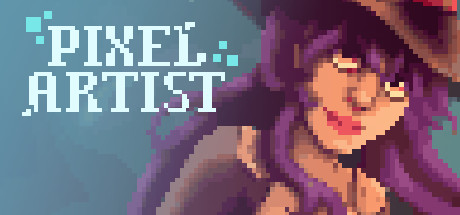 Simulation
Pixel Artist
Potion JunkiesFor:Players who want to color preset pixel paintings with a range of themes and art styles.Skip if:Players seeking fast-paced action may find the painting-focused pace too slow. Simulation
The Graffiti Creator
Mike WigenFor:Graffiti art fans who want to create designs with selectable fonts and color schemesSkip if:Players looking for a campaign with missions, objectives, or character progression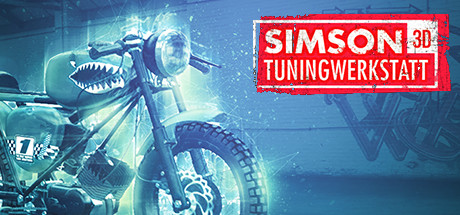 Simulation
Simson Tuningwerkstatt 3D
Thinking-Twins GbRFor:Simson enthusiasts who want to customize a virtual motorcycleSkip if:Players seeking driving, racing, or road-based gameplay rather than workshop customizationPicked by overlapping fit notes and genres, not an editorial comparison.
Sword Maker: platforms & release
Is Sword Maker worth it?
It is worth it if: fantasy weapon enthusiasts who want to assemble sword illustrations from individual parts. Skip it if: people seeking combat, missions, or character progression rather than a sword illustration app.
Where can I download Sword Maker?
Use the Download Now button on this page: it opens Sword Maker's store page, where you can choose how to get it.
What platforms is Sword Maker on?
Windows only.