 Simulation
Fit check
Is Overlay Balls & Mouse Tails worth it for you?
We tell you who should skip it, too.
Play it if you…
Good fit- Players seeking a small screen-based diversion who want to interact with bouncing balls
- Windows users who want customizable cursor trails while working at a computer
- People who want an on-screen clock with adjustable appearance and placement
Skip it if you…
Saves you a refund- Players looking for a structured progression system may find the ball-bumping and scoring loop limited.
- Players who want the cursor effects to stand out on light backgrounds may find them less visible.
- Players looking for a factory-building puzzle or engineering challenges should consider that this game focuses on balls and desktop effects.
Our take on Overlay Balls & Mouse Tails
The scoring system may be the first sticking point: players have to discover which balls award points through hitting or dribbling, and some award none. Those expecting a clear progression beyond that interaction may find the mini-game's scope narrow.
What is Overlay Balls & Mouse Tails?
This mini-game lets players add balls to the screen, then score points by hitting or dribbling them; which balls award points depends on the ball type.
Mouse-cursor trails can be customized with different appearances, and an optional clock can be placed above other windows with adjustable font, color, size, and position. The game can optionally start when Windows launches and pause automatically while a game or application is in full-screen mode. The vendor notes that the trails and particle effects are more visible against dark themes than light backgrounds.
How Overlay Balls & Mouse Tails plays
- 01Ball scoring
- Points depend on whether a ball is hit or dribbled, and some balls do not award points.
- 02Custom cursor trails
- The trail's appearance can be changed, with its effects more visible on dark backgrounds.
- 03Floating clock
- The clock stays above other windows and allows changes to its font, color, size, and screen position.
- 04Automatic pause
- An optional mode pauses the game when another game or application runs full-screen.
- 05Windows startup
- An optional setting launches the game when Windows starts.
Games like Overlay Balls & Mouse Tails
Simulation Simulation
Desktop Magic Engine
XDesktopSoftFor:Desktop customization fans who want animated 3D characters alongside everyday windowsSkip if:Users seeking a conventional game with levels, objectives, or character progression Simulation
Tiny Pasture
Gamersky GamesFor:Players who want a small animal simulator that runs at the bottom of the screenSkip if:Players seeking a detailed farm-management system with broad production chains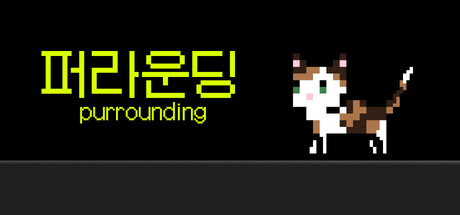 Simulation
purrounding
23bitFor:Desktop users who want a customizable cat companion during work or studySkip if:Players looking for a conventional game with substantial progression or complex objectivesPicked by overlapping fit notes and genres, not an editorial comparison.
Overlay Balls & Mouse Tails: platforms & release
Is Overlay Balls & Mouse Tails worth it?
It is worth it if: players seeking a small screen-based diversion who want to interact with bouncing balls. Skip it if: players looking for a structured progression system may find the ball-bumping and scoring loop limited.
Where can I download Overlay Balls & Mouse Tails?
Use the Download Now button on this page: it opens Overlay Balls & Mouse Tails's store page, where you can choose how to get it.
What platforms is Overlay Balls & Mouse Tails on?
Windows only.