
Fit check
Is DesktopMMD4:Born to Dance worth it for you?
We tell you who should skip it, too.
Play it if you…
Good fit- MMD fans who want to play existing VMD dance files
- Desktop users who work with PMX or PMD models
- Animation hobbyists who want playlists and Workshop content
Skip it if you…
Saves you a refund- Users seeking a dance creation or editing suite rather than a playback application
- Players looking for a game with progression, objectives, or substantial interactive mechanics
- Users on operating systems other than Windows 7, 8, 10, or 11
Our take on DesktopMMD4:Born to Dance
The listing foregrounds direct MMD compatibility and a new theater mode, but this is primarily a desktop playback tool. Its stated scope centers on loading models, motions, poses, and playlists rather than creating dance content or offering game-like interaction.
What is DesktopMMD4:Born to Dance?
DesktopMMD4:Born to Dance is a desktop player for MMD models, motions, and poses.
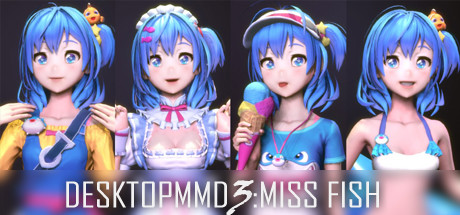
It uses VMD dance files, PMX and PMD models, and VPD pose data without conversion. The application supports facial movement, lip synchronization, and MMD physics effects, including hair and skirt simulation. Models can be shown or hidden by individual parts. A theater mode, two rendering styles, and transparent or glass taskbar options are included. Playlists can use multiple-dance loops, single loops, or random playback. Steam Workshop support includes importing PMX models subscribed through DesktopMMD3 and DesktopMagicEngine. The software supports Windows 7, 8, 10, and 11, along with multiple languages.
How DesktopMMD4:Born to Dance plays
- 01MMD File Support
- VMD motions, PMX and PMD models, and VPD poses can be loaded without conversion.
- 02Motion Synchronization
- Supported motions can include facial animation and synchronized lip movement.
- 03Physics Effects
- The application simulates MMD physics for elements such as hair and skirts during dancing.
- 04Playlist Playback
- Playback offers repeated multi-dance sequences, one-dance loops, and randomized playlists.
- 05Steam Workshop
- Workshop support includes importing subscribed PMX models from DesktopMMD3 and DesktopMagicEngine.
- 06Rendering Styles
- Scenes can use either a flat 2D anime presentation or a realistic 3D presentation.
DesktopMMD4:Born to Dance compared to similar games
EasyMMD is also presented as an MMD player, with Mixamo animation importing and automatic material adaptation after model import. DesktopMMD4 instead lists direct use of VMD, PMX, PMD, and VPD files, plus physics effects, Workshop support, and playlist modes.
DesktopMMD4:Born to Dance: platforms & release
Is DesktopMMD4:Born to Dance worth it?
It is worth it if: MMD fans who want to play existing VMD dance files. Skip it if: users seeking a dance creation or editing suite rather than a playback application.
Where can I download DesktopMMD4:Born to Dance?
Use the Download Now button on this page: it opens DesktopMMD4:Born to Dance's store page, where you can choose how to get it.
What platforms is DesktopMMD4:Born to Dance on?
Windows only.