 Simulation
Fit check
Is Desktop Tree worth it for you?
We tell you who should skip it, too.
Play it if you…
Good fit- Players who want a low-attention desktop activity rather than an active game
- Casual players who enjoy watching gradual virtual growth
- Players who want to shape a small desktop tree through occasional trimming
Skip it if you…
Saves you a refund- Players seeking frequent interaction, complex management, or a large set of systems
- Players who want fast-paced action or substantial objectives across repeated sessions
- Players looking for a conventional standalone game rather than a desktop companion
Our take on Desktop Tree
The relaxed, low-maintenance premise is clear, but the activity remains narrow: growth, occasional bug catching, and branch trimming form the main loop. The page gives little sense of broader progression or variety, so the experience may be closer to a desktop ornament than a full simulation.
What is Desktop Tree?
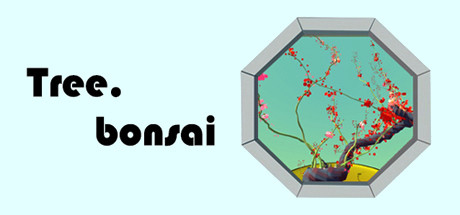
Desktop Tree places a potted tree on the desktop and lets it grow over time without requiring regular care.
The tree can remain visible while other work, videos, or web browsing continue. Growth can be accelerated by catching random bugs that appear on the desktop. Branches can be removed to reshape the tree or reduce its size. The pot can be repositioned by dragging, while keyboard and mouse controls provide branch cutting, zooming, and small movements when zoomed in. Pressing Esc opens the menu. The game presents a passive, casual experience centered on observing growth and making occasional adjustments rather than managing frequent care tasks.
How Desktop Tree plays
- 01Passive Tree Growth
- The tree continues developing while the desktop is used for other activities.
- 02Branch Trimming
- Branches can be removed to change the tree’s shape or make it smaller.
- 03Bug Catching
- Random bugs appearing on the desktop can be caught to increase growth speed.
- 04Movable Pot
- The pot can be dragged to a different desktop position.
- 05Zoom Controls
- Ctrl combined with the mouse wheel changes the view, while Ctrl and the arrow keys adjust the pot slightly when zoomed.
Games like Desktop Tree
Simulation Simulation
Desktop Fishes
Daniel SantallaFor:Players who want a low-attention aquarium running over other desktop activitiesSkip if:Players seeking active controls, substantial challenge, or fast-paced gameplay Simulation
MY FOX - Desktop Wild Pet
3dm_live_wallpapersFor:Players who want a virtual pet that remains on the desktop during other activitiesSkip if:Players looking for a tightly structured adventure with missions rather than background exploration Simulation
Fishing On My Desktop
ColaCatGamesFor:Players who want a low-attention fishing game alongside work or studySkip if:Players seeking active fishing controls may lose interest after the click-to-start system becomes repetitivePicked by overlapping fit notes and genres, not an editorial comparison.
Desktop Tree: platforms & release
Is Desktop Tree worth it?
It is worth it if: players who want a low-attention desktop activity rather than an active game. Skip it if: players seeking frequent interaction, complex management, or a large set of systems.
Where can I download Desktop Tree?
Use the Download Now button on this page: it opens Desktop Tree's store page, where you can choose how to get it.
What platforms is Desktop Tree on?
Windows and macOS.