 Sports
Fit check
Is Desktop Bowling worth it for you?
We tell you who should skip it, too.
Play it if you…
Good fit- Bowling fans who want several solo and multiplayer modes
- Groups of up to 6 players seeking local bowling matches
- Players who enjoy collecting varied bowling balls and clearing challenges
Skip it if you…
Saves you a refund- Players seeking a realistic, conventional bowling simulation rather than themed stages and varied ball types
- Players wanting a focused single-mode experience without quests, bosses, challenges, tournaments, and mini-games
- Groups larger than 6 players for multiplayer matches or larger than 4 for Party mode
- Players without a controller for local multiplayer
Our take on Desktop Bowling
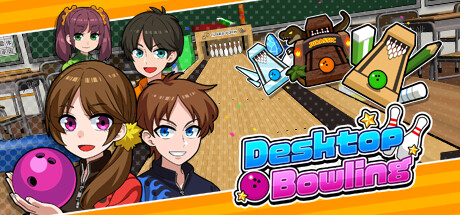
The defining idea is turning classroom desks into bowling environments, with settings that include a zoo and an iceberg rather than a standard alley.
What is Desktop Bowling?
Desktop Bowling turns school desks into bowling lanes across settings such as a zoo and an iceberg.
Solo Quest mode divides play into areas that end with boss matches, while victories award new bowling balls. Multiplayer supports up to 6 players, and Party mode supports up to 4 in Versus or Co-op play. Tournament mode pits players against rivals in the Champion Cup, while Challenge mode offers difficult stages. Capsule Strike adds collectible balls with varied shapes, weights, and powers. A 100 Pin Bowling mini-game awards points for knocked-down pins. Local multiplayer requires a controller, and the game uses Joy-Con motion controls.
How Desktop Bowling plays
- 01Solo Quest Mode
- Players clear areas, face an end-of-area boss, and receive bowling balls for winning matches.
- 02Six-Player Matches
- Multiplayer games support as many as 6 participants.
- 03Party Versus Co-op
- Party sessions support up to 4 players across competitive and cooperative play.
- 04Ball Collection
- Capsule Strike introduces balls with different forms, weights, and powers.
- 05100 Pin Mini-Game
- Players score points by knocking down pins in a 100-pin bowling activity.
- 06Motion Controls
- Joy-Con controllers provide the game's bowling controls.
Games like Desktop Bowling
Sports Sports
Pool Panic
RekimFor:Players who want arcade-style pool with unusual activities rather than realistic billiardsSkip if:Players seeking realistic billiards physics or a conventional pool simulator Sports
Dino Galaxy Tennis
Vixa GamesFor:Tennis fans who want a dinosaur-themed space settingSkip if:Players seeking a realistic tennis simulation may bounce off the 2D action-focused presentation and dinosaur setting.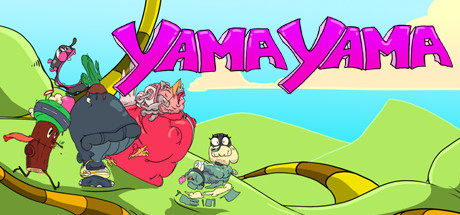 Sports
YamaYama
Lumenox ehfFor:Party groups seeking competitive mini-gamesSkip if:Players seeking gameplay outside a mini-game-based formatPicked by overlapping fit notes and genres, not an editorial comparison.
Desktop Bowling: platforms & release
Is Desktop Bowling worth it?
It is worth it if: bowling fans who want several solo and multiplayer modes. Skip it if: players seeking a realistic, conventional bowling simulation rather than themed stages and varied ball types.
Where can I download Desktop Bowling?
Use the Download Now button on this page: it opens Desktop Bowling's store page, where you can choose how to get it.
What platforms is Desktop Bowling on?
Windows only.