 Simulation
Fit check
Is Vinyl Reality - DJ in VR worth it for you?
We tell you who should skip it, too.
Play it if you…
Good fit- VR users who want to practice vinyl-style DJ techniques
- DJs who want to mix their own digital music in a virtual setup
- Performers who want to record or stream DJ sets with changing visual environments
Skip it if you…
Saves you a refund- Players seeking a conventional score-driven game with levels, enemies, or campaign progression
- Users wanting a quick, passive music experience rather than hands-on mixing and equipment controls
- People without VR hardware or personal music to load
- DJs looking for hardware-based mixing instead of a virtual setup
Our take on Vinyl Reality - DJ in VR
Rather than framing DJing as a rhythm challenge or a sequence of preset songs, this simulation replaces game progression with an open virtual booth. The focus is on manipulating personal tracks, preparing mixes, and presenting sets through environments, avatars, and camera views.
What is Vinyl Reality - DJ in VR?
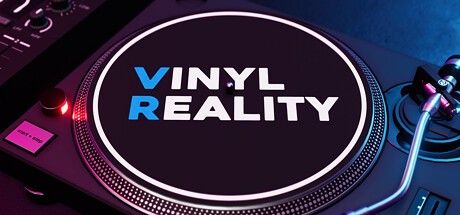
Vinyl Reality simulates vinyl DJing in virtual reality with two turntables and a two-channel mixer.
Players can load personal tracks, cue records, adjust pitch, cut with faders, and shape audio using equalization and filters. A virtual headphone system supports monitoring of cued tracks, while a record case organizes music for loading. The software supports mp3, flac, wav, ogg, aif, wma, and m3u playlists, plus Rekordbox imports. Sets can be recorded as 32-bit wave audio or streamed using four spectator camera angles. Three environments include reactive crowds, lighting, and effects. Users can also load community environments, create custom stages with VJ visuals, and select avatar presets.
How Vinyl Reality - DJ in VR plays
- 01Dual Virtual Turntables
- The setup recreates two decks modeled on the SL-1200 series for loading and mixing personal tracks.
- 02Two-Channel Mixer
- Each channel includes equalization, filters, gain, and pre-fader listening controls.
- 03Audio File Support
- Music can be loaded from mp3, flac, wav, ogg, aif, wma, and m3u playlist files.
- 04Rekordbox Import
- Tracks and playlists can be brought in from Rekordbox.
- 05Mix Recording
- Performances can be captured as 32-bit wave audio.
- 06Custom Environments
- Community environments can be downloaded from mod.io, and the Unity Editor SDK supports creating new ones.
- 07Spectator Cameras
- Four viewpoints are available, with an automatic switching option that responds to the audio.
Games like Vinyl Reality - DJ in VR
Simulation Simulation
Zen Aquarium
Astro CatFor:Players who want a passive aquarium experience without maintenance tasksSkip if:Players looking for aquarium management systems involving feeding, cleaning, or water-level control Simulation
Desktop Magic Engine
XDesktopSoftFor:Desktop customization fans who want animated 3D characters alongside everyday windowsSkip if:Users seeking a conventional game with levels, objectives, or character progression Simulation
Beam Eye Tracker
Eyeware Tech SAFor:Sim racers who want camera control while keeping both hands on the wheelSkip if:Users whose webcam view is obstructed by strong lens glare or thick frames may hit tracking problems at certain anglesPicked by overlapping fit notes and genres, not an editorial comparison.
Vinyl Reality - DJ in VR: platforms & release
Is Vinyl Reality - DJ in VR worth it?
It is worth it if: VR users who want to practice vinyl-style DJ techniques. Skip it if: players seeking a conventional score-driven game with levels, enemies, or campaign progression.
Where can I download Vinyl Reality - DJ in VR?
Use the Download Now button on this page: it opens Vinyl Reality - DJ in VR's store page, where you can choose how to get it.
What platforms is Vinyl Reality - DJ in VR on?
Windows only.