 Simulation
Fit check
Is Skydive Sim - Skydiving Simulator worth it for you?
We tell you who should skip it, too.
Play it if you…
Good fit- Skydiving enthusiasts who want virtual freefall and canopy activities
- VR players seeking an aerial sports simulator
- Experienced skydivers who want shared jumps and repeated virtual activities at home
Skip it if you…
Saves you a refund- Players seeking a structured story campaign rather than repeated skydiving and base-jumping activities
- Players looking for gameplay outside aerial movement, parachute control, and related practice activities
- People seeking formal skydiving training, since the game is intended for entertainment rather than training
Our take on Skydive Sim - Skydiving Simulator
Rather than using a conventional level-by-level structure, the simulator centers on repeated jumps, canopy practice, environmental exploration, and shared formation activities. Jet packs and a wind tunnel add ways to retry or rehearse aerial maneuvers without restarting a standard jump.
What is Skydive Sim - Skydiving Simulator?
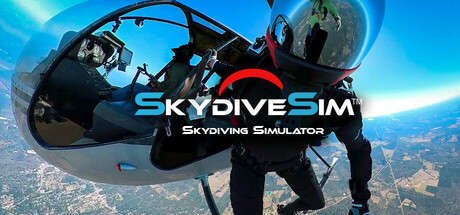
Skydive Sim is a skydiving and base-jumping simulator with airplane, helicopter, balloon, skyscraper, windmill, and wind-tunnel activities.
It includes nine environments based on real-world terrain, Google Earth integration, day and night jumps, and adjustable wind speed and direction. Players control freefall positions, tracking, turns, parachute flight, flares, front-riser inputs, cutaways, and reserve deployments. Canopy presets range from beginner to advanced, with custom settings also available. Jet packs allow repeated canopy-landing attempts without restarting. Multiplayer supports shared jumps and formation activities. The game includes a tutorial, video guides, and music playback, and works with Steam VR or non-VR keyboard and mouse controls.
How Skydive Sim - Skydiving Simulator plays
- 01Multiple jump types
- Launches include aircraft, helicopters, hot-air balloons, base jumps, and a vertical wind tunnel.
- 02Real-world environments
- Nine environments use real-world terrain, including Liberty Island, tropical areas, and city locations.
- 03Adjustable conditions
- Jumps can use different wind speeds, wind directions, and nighttime settings.
- 04Parachute systems
- Flight includes presets, custom canopy settings, front-riser inputs, cutaways, and reserve deployments.
- 05Shared multiplayer jumps
- Players can meet others globally, organize formation jumps, and fly together in the same drop zone.
- 06Jet-pack practice
- Jet packs support vertical launches, exploration, and repeated canopy-landing attempts without restarting.
- 07VR and PC controls
- The simulator supports Steam VR as well as keyboard and mouse controls on PC.
Games like Skydive Sim - Skydiving Simulator
Simulation Simulation
Volo Airsport
Ramjet AnvilFor:Wingsuit enthusiasts who want physically simulated mountain flightSkip if:Players seeking several vehicles or aircraft may find the single-wingsuit setup restrictive.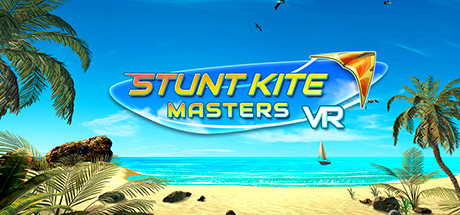 Simulation
Stunt Kite Masters VR
THQ Nordic MobileFor:VR players who want a kite-focused flying simulation rather than vehicle racingSkip if:Players seeking a broad campaign or extensive progression may hit the limit of its mode-based challenge structure. Simulation
Slackline VR
SwappAppsFor:VR players who want a balance-focused game rather than a combat-centered action game.Skip if:Players seeking a broad range of activities may find the game centered on one balancing mechanic.Picked by overlapping fit notes and genres, not an editorial comparison.
Skydive Sim - Skydiving Simulator: platforms & release
Is Skydive Sim - Skydiving Simulator worth it?
It is worth it if: skydiving enthusiasts who want virtual freefall and canopy activities. Skip it if: players seeking a structured story campaign rather than repeated skydiving and base-jumping activities.
Where can I download Skydive Sim - Skydiving Simulator?
Use the Download Now button on this page: it opens Skydive Sim - Skydiving Simulator's store page, where you can choose how to get it.
What platforms is Skydive Sim - Skydiving Simulator on?
Windows only.