Fit check
Is SHMUP Creator worth it for you?
We tell you who should skip it, too.
Play it if you…
Good fit- Shoot-'em-up fans who want to build their own games
- Solo creators who prefer mouse-based development without coding
- Game-making hobbyists who want to export projects for Windows or Steam Deck
Skip it if you…
Saves you a refund- Creators seeking tools centered on genres other than shoot-'em-ups may find the feature set narrowly focused.
- Users wanting conventional programming or scripting workflows will hit a wall at the no-code editor model.
- Creators who need platforms beyond Windows or Steam Deck will find the export targets limited.
Our take on SHMUP Creator
The bounce point arrives when a creator needs code or scripts: SHMUP Creator keeps construction inside mouse-based editors. A second wall appears for projects outside shoot-'em-up design, where its bullet patterns, enemy tools, and genre-specific gameplay systems become less applicable.
What is SHMUP Creator?
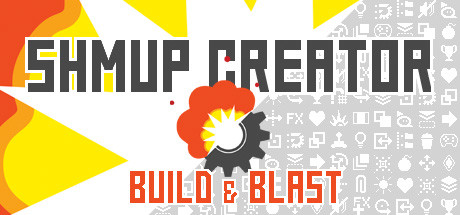
Creates 2D and 3D shoot-'em-up games through mouse-based editors without code or scripts.
Levels can run vertically, horizontally, or in multiple directions. The tool includes editors for gameplay, enemies, levels, menus, HUDs, and explosions. Built-in assets include 3D models, sprites, sounds, and music, while custom sprites, 3D objects, and sounds can also be imported. Bullet tools support lasers and patterned firing, and gameplay systems include scoring, gauges, chaining, medals, smart bombs, and power-ups. Games can be tested with a button press. Completed projects can be exported as standalone executables for Windows or Steam Deck, then distributed or sold without fees or royalties.
How SHMUP Creator plays
- 01Multi-directional levels
- Build stages that move vertically, horizontally, or in multiple directions.
- 02Asset importing
- Bring in custom sprites, 3D objects, and sounds alongside the included models, imagery, audio, and music.
- 03Bullet pattern tools
- Create laser attacks and patterned projectile behavior with the bullet engine.
- 04Gameplay systems
- Add scoring, gauges, chaining, medals, smart bombs, and power-ups.
- 05Standalone exports
- Package finished games as executables for Windows or Steam Deck without fees or royalties.
SHMUP Creator compared to similar games
Pixel Game Maker MV covers action, adventure, shoot-'em-ups, and multiplayer games for up to four players, while SHMUP Creator concentrates on 2D and 3D shoot-'em-up construction with dedicated bullet, explosion, enemy, level, and HUD editors. GameGuru Classic is a broader game creator for building worlds and games, whereas SHMUP Creator includes shoot-'em-up systems such as patterned firing, medals, smart bombs, and power-ups.
SHMUP Creator: platforms & release
Is SHMUP Creator worth it?
It is worth it if: shoot-'em-up fans who want to build their own games. Skip it if: creators seeking tools centered on genres other than shoot-'em-ups may find the feature set narrowly focused.
Where can I download SHMUP Creator?
Use the Download Now button on this page: it opens SHMUP Creator's store page, where you can choose how to get it.
What platforms is SHMUP Creator on?
Windows only.