
Fit check
Is Retro Gadgets worth it for you?
We tell you who should skip it, too.
Play it if you…
Good fit- Players who enjoy open-ended electronics construction rather than predefined objectives
- Tinkerers interested in programming devices with Lua
- Creative builders who want to customize and share gadget designs
Skip it if you…
Saves you a refund- Players seeking a tightly directed campaign may find the sandbox structure too open-ended
- Those who want action-focused gameplay may find repeated construction, testing, and coding too slow
- Players who do not want to write code may not use a central part of the gadget-building system
Our take on Retro Gadgets
The open-ended construction system trades clear progression for experimentation. Without a fixed sequence of objectives, the experience depends on choosing projects, learning the components, and deciding when a gadget is finished.
What is Retro Gadgets?
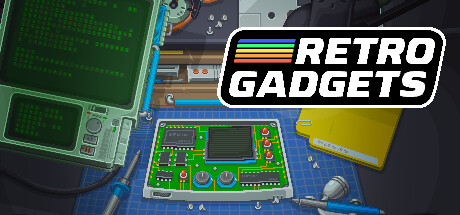
Retro Gadgets is a sandbox for constructing electronic devices at a pixel-art workbench.
Players assemble circuit boards with components such as buttons, switches, lights, displays, speakers, and chips, then connect and program them in a Lua coding environment. Gadgets can be painted, shaped, labeled with stickers, and given custom logos. The archive stores creations for later editing or repair, while gadgets made by other players can be downloaded, used, disassembled, and adapted. Possible projects include consoles, weather devices, radios, drum machines, cameras, and video players. Finished gadgets can also be brought onto the computer desktop.
How Retro Gadgets plays
- 01Circuit Construction
- Assemble boards with controls, displays, audio parts, lights, and processors, then connect them into working devices.
- 02Lua Programming
- Write and debug code for gadgets or transfer programs directly to their CPUs.
- 03Visual Customization
- Alter component colors, create stencils, and apply drawn, printed, or uploaded designs.
- 04Community Gadgets
- Download creations from other players, interact with them, take them apart, and make modified versions.
- 05Gadget Archive
- Store creations and retrieve older devices for further work or repair.
- 06Desktop Export
- Move finished gadgets from the game onto the computer desktop.
Retro Gadgets compared to similar games
SpaceChem also centers on designing functional systems, but it focuses on building chemical-processing factories for specific production tasks. Retro Gadgets instead combines physical component assembly, Lua programming, visual customization, and a library of player-made devices.
Retro Gadgets: platforms & release
Is Retro Gadgets worth it?
It is worth it if: players who enjoy open-ended electronics construction rather than predefined objectives. Skip it if: players seeking a tightly directed campaign may find the sandbox structure too open-ended.
Where can I download Retro Gadgets?
Use the Download Now button on this page: it opens Retro Gadgets's store page, where you can choose how to get it.
What platforms is Retro Gadgets on?
Windows only.