 Simulation
Fit check
Is Progress Bar Simulator worth it for you?
We tell you who should skip it, too.
Play it if you…
Good fit- Players interested in progress-bar-themed simulations who want unusual keyboard-based gameplay
- Friends seeking short competitive keyboard contests
- Streamers who want audience-controlled progress and regression through Twitch chat
Skip it if you…
Saves you a refund- Players seeking story, exploration, or conventional objectives may find the progress-bar premise narrow
- Players wanting varied long-term progression may find repeated bar manipulation limited in scope
- Players looking for a traditional single-player or multiplayer genre may not find its format familiar
Our take on Progress Bar Simulator
The defining mechanic is turning progress into a two-way contest: keyboard input can either advance or reverse the bar, while Twitch chat can also push it in either direction.
What is Progress Bar Simulator?
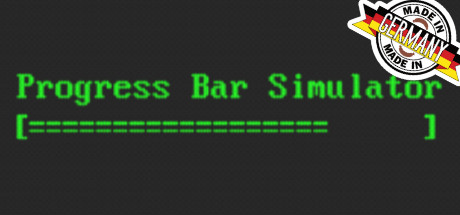
Progress Bar Simulator turns computer progress indicators into a game.
In single-player mode, keyboard input moves bars forward or backward, with normal, idle, and speed-running options. Idle mode slows the movement for extended viewing, while Run Bar focuses on improving each playthrough. Multiplayer places players in simultaneous keyboard contests using space or backspace. Twitch integration lets an audience affect the bar through chat messages: messages containing a plus sign advance it, while messages containing a minus sign reverse it. The game includes progress-bar designs inspired by different periods in computer history and supports both competitive and passive ways to interact with them.
How Progress Bar Simulator plays
- 01Multiple play modes
- Normal, idle, and speed-running options change how progress bars move and how sessions are approached.
- 02Keyboard-driven control
- Keys associated with upward or rightward movement advance the bar, while opposite inputs reverse it.
- 03Competitive multiplayer
- Players compete simultaneously by pressing space or backspace as quickly as possible.
- 04Twitch interaction
- Chat messages containing plus or minus symbols move the bar in one direction, with each message triggering one action.
- 05Historical bar designs
- The game uses progress indicators modeled on different periods in computer history.
Games like Progress Bar Simulator
Simulation Simulation
Watch Your Plastic Duck
NewOldMaxFor:Players seeking a quiet duck-watching game with minimal active interactionSkip if:Players looking for combat, puzzles, management, or survival systems will reach the game's observation-focused format immediately. Simulation
CTRL Phreak
Robot-SatanFor:Players who want a cyber-themed action game centered on keyboard inputSkip if:Players seeking conventional movement, aiming, or weapon-based combat may hit a wall when battles rely on keyboard mashing. Simulation
IRMÃO Grande & Brasileiro 2
Jogo JoiaFor:Reality-show fans who want to create and manage a custom castSkip if:Players seeking direct-action gameplay rather than observing or directing simulated contestantsPicked by overlapping fit notes and genres, not an editorial comparison.
Progress Bar Simulator: platforms & release
Is Progress Bar Simulator worth it?
It is worth it if: players interested in progress-bar-themed simulations who want unusual keyboard-based gameplay. Skip it if: players seeking story, exploration, or conventional objectives may find the progress-bar premise narrow.
Where can I download Progress Bar Simulator?
Use the Download Now button on this page: it opens Progress Bar Simulator's store page, where you can choose how to get it.
What platforms is Progress Bar Simulator on?
Windows and Linux.