 Adventure
Fit check
Is Platform Builder worth it for you?
We tell you who should skip it, too.
Play it if you…
Good fit- Beginner creators who want to make platformers without coding
- Platformer fans who want to build custom levels and games
- Creators who want to publish playable projects to a community
Skip it if you…
Saves you a refund- Players seeking a finished platformer rather than a game-creation tool
- Creators looking for development outside the 2D side-scrolling platformer format
- Users who do not want to design levels, characters, or other game elements
Our take on Platform Builder
The no-code, platformer-focused design trades away broader development scope: projects center on 2D side-scrolling games rather than unrestricted game genres or general-purpose software development.
What is Platform Builder?
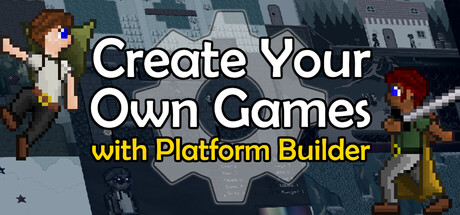
Platform Builder lets users make 2D side-scrolling platformer games without writing code.
It supports full games and single-level Sandbox projects, with layouts spanning one or more overworlds or no overworld. Creators can build characters, enemies, bosses, items, projectiles, cut-scenes, goals, screens, secret exits, shops, and level transitions. Courses can use standard movement or auto-running, moving cameras, camera effects, and adjusted physics. Built-in backgrounds, tiles, music, and sound effects can be combined with uploaded assets. Finished games and levels can be published to the Platform Builder community, where they can be played from within the software. The game also includes solo and 2-player co-op play, tutorials, an in-game manual, keyboard support, and gamepad support.
How Platform Builder plays
- 01No-code creation
- Projects can be built without writing programming code.
- 02Sandbox building
- Sandbox mode supports making individual levels instead of complete games.
- 03Custom game elements
- Creators can configure characters, enemies, bosses, items, projectiles, cut-scenes, goals, and menu screens.
- 04Uploaded assets
- User-provided artwork and other assets can be added alongside built-in backgrounds, tiles, music, and sound effects.
- 05Community publishing
- Games and levels can be published for other Platform Builder users to play within the software.
- 06Two-player co-op
- Created games can support solo play or cooperative play for two people.
Games like Platform Builder
Adventure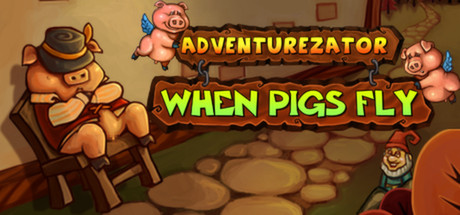 Adventure
Adventurezator: When Pigs Fly
DegicaFor:Point-and-click adventure fans who want to create scenarios without programmingSkip if:Players seeking only a tightly authored adventure without creation tools or sandbox elements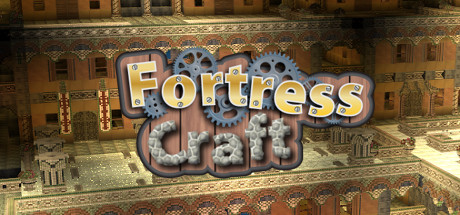 Adventure
FortressCraft : Chapter 1
ProjectorGamesFor:Voxel-building fans who want to create and publish personal worldsSkip if:Players seeking a combat-led campaign or a mission-driven adventure may find the construction focus too limited Adventure
Vibrant Venture
Semag GamesFor:Platformer fans who want to combine several characters' movement abilitiesSkip if:Players seeking a purely linear campaign may find the level-building and user-created content more extensive than they want.Picked by overlapping fit notes and genres, not an editorial comparison.
Platform Builder: platforms & release
Is Platform Builder worth it?
It is worth it if: beginner creators who want to make platformers without coding. Skip it if: players seeking a finished platformer rather than a game-creation tool.
Where can I download Platform Builder?
Use the Download Now button on this page: it opens Platform Builder's store page, where you can choose how to get it.
What platforms is Platform Builder on?
Windows only.