
Fit check
Is FPVSIM Drone Simulator worth it for you?
We tell you who should skip it, too.
Play it if you…
Good fit- FPV pilots who want simulator practice before flying real hardware
- Racing players who want gate practice, lap timing, and leaderboards
- Experienced pilots who want configurable rates and transmitter-based control
Skip it if you…
Saves you a refund- Players seeking a broad campaign, story progression, or combat-focused drone game
- Players wanting a casual racing experience rather than flight tuning and manual control practice
- Players without a controller who do not want to use a gamepad
Our take on FPVSIM Drone Simulator
Rather than making racing the entire structure, FPVSIM combines competitive laps with freestyle practice, configurable transmitter behavior, trick review, and real-world-style environments. Its focus is repeated flight training and control refinement instead of a conventional vehicle-racing campaign.
What is FPVSIM Drone Simulator?
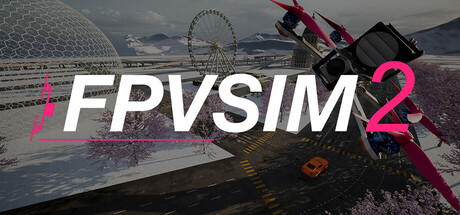
FPVSIM is an FPV drone simulator for freestyle and racing.
Its quadrotor model covers motor, propeller, throttle, PID, and rate behavior, with Betaflight-style settings, Actual rates, throttle curves, and level or angle mode. Pilots can calibrate radio controllers, DJI-style controllers, and gamepads, then practice gates, racing lines, power loops, dives, gaps, cinematic routes, and beginner exercises. Purpose-built scenes and Google Maps locations provide different environments. Lap timing, leaderboards, DVR replay, and an optional stick overlay support reviewing flights, tricks, throttle control, crashes, and race lines. Custom track tools are also included. Settings support progression from level mode to acro flying, higher rates, tighter gates, and more demanding race practice.
How FPVSIM Drone Simulator plays
- 01Quadrotor flight model
- The simulator models motor, propeller, throttle, PID, and rate behavior for FPV-oriented stick response.
- 02Betaflight-style tuning
- Settings include Actual rates, throttle curves, level or angle mode, and calibration controls.
- 03Freestyle and racing maps
- Practice areas cover gates, racing lines, city dives, gaps, cinematic routes, and beginner training.
- 04Run review tools
- DVR replay and an optional stick display support review of tricks, throttle use, crashes, and race lines.
- 05Controller support
- It works with radio transmitters, DJI-type units, and gamepads, and provides controls to map axes, reverse directions, adjust offsets and scaling, and set stick range.
- 06Google Maps locations
- Real-world-style environments are available through Google Maps integration alongside purpose-built scenes.
FPVSIM Drone Simulator compared to similar games
Uncrashed: FPV Drone Simulator and The Drone Racing League Simulator also focus on practicing FPV drone flying for new and experienced pilots. FPVSIM adds Betaflight-style tuning, controller calibration, freestyle and racing maps, custom track tools, Google Maps integration, DVR review, and a stick overlay.
FPVSIM Drone Simulator: platforms & release
Is FPVSIM Drone Simulator worth it?
It is worth it if: FPV pilots who want simulator practice before flying real hardware. Skip it if: players seeking a broad campaign, story progression, or combat-focused drone game.
Where can I download FPVSIM Drone Simulator?
Use the Download Now button on this page: it opens FPVSIM Drone Simulator's store page, where you can choose how to get it.
What platforms is FPVSIM Drone Simulator on?
Windows only.