Fit check
Is DVR Simulator worth it for you?
We tell you who should skip it, too.
Play it if you…
Good fit- FPV beginners who want separate freestyle and racing practice modes
- Existing FPV pilots who want a dedicated training simulator
- Radio-transmitter users who want adjustable flight settings and shareable calibration files
Skip it if you…
Saves you a refund- Players seeking a story campaign or activities beyond FPV freestyle and racing simulation
- Users who want fixed handling rather than a physics editor with many adjustable parameters
- Players who do not use gamepads or radio transmitters for flight controls
- VR users who are sensitive to motion sickness when experimenting with stereo mode
Our take on DVR Simulator
Radio-transmitter users may hit the first setup barrier during calibration. VR users may reach another at stereo mode, which can cause motion sickness. Players seeking structured progression may also find the mode-based simulator format too narrow.
What is DVR Simulator?
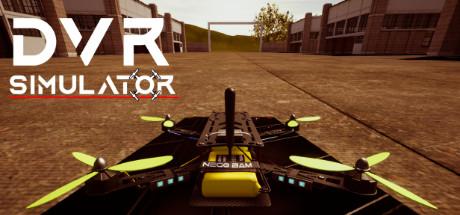
Practice FPV drone flight in Freestyle and Racing modes with either a gamepad or a real radio transmitter.
The physics editor lets pilots change settings including drag, angular drag, gravity, motor power, rates, throttle mid, expo, interpolation times, and 3D parameters. Radio transmitters require calibration, and calibration files can be shared with friends using the same transmitter. With a VR headset, the simulator can present an FPV-goggle-style view. Its default VR mode uses the same image for both eyes, while stereo mode uses a different viewing setup that may cause motion sickness.
How DVR Simulator plays
- 01Freestyle practice
- A dedicated mode supports non-racing FPV flight practice.
- 02Racing practice
- A separate mode focuses on FPV racing flight.
- 03Physics customization
- The editor changes parameters including drag, gravity, motor power, rates, throttle mid, expo, interpolation times, and 3D settings.
- 04VR headset support
- VR can reproduce an FPV-goggle-style view, with a default same-image display for both eyes and an optional stereo mode.
- 05Radio transmitter input
- Calibration settings can be saved to a file and shared with friends using the same radio transmitter.
DVR Simulator compared to similar games
Uncrashed: FPV Drone Simulator and The Drone Racing League Simulator also focus on FPV drone flight and skill development. DVR Simulator includes Freestyle and Racing modes, a physics editor, radio-transmitter calibration files, and VR viewing options, while the alternatives emphasize realistic flight practice and, for DRL SIM, professional competition.
DVR Simulator: platforms & release
Is DVR Simulator worth it?
It is worth it if: FPV beginners who want separate freestyle and racing practice modes. Skip it if: players seeking a story campaign or activities beyond FPV freestyle and racing simulation.
Where can I download DVR Simulator?
Use the Download Now button on this page: it opens DVR Simulator's store page, where you can choose how to get it.
What platforms is DVR Simulator on?
Windows and Linux.