Fit check
Is Aerofly FS 4 Flight Simulator worth it for you?
We tell you who should skip it, too.
Play it if you…
Good fit- Flight-simulation fans who want to operate several types of aircraft rather than focus on a single class
- Players who prefer setting up individual flights or missions over following a fixed campaign
- Flight sim hobbyists who use VR headsets or dedicated control peripherals
Skip it if you…
Saves you a refund- Players looking for a story-led campaign or a fixed sequence of missions may find the open-ended flight structure limited
- Those seeking official flight instruction cannot use it for that purpose, and the simulator is restricted to personal, non-commercial use
- Players looking for a dedicated FPV drone-racing simulator should consider a product focused on drone flight instead
Our take on Aerofly FS 4 Flight Simulator
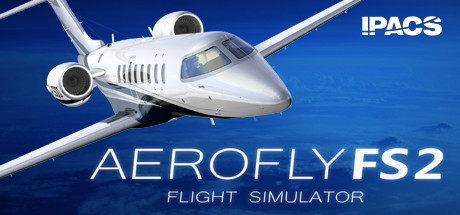
Many flight simulators center on piloting one aircraft category or completing a set route. This one spans airliners, helicopters, fighters, general aviation aircraft, aerobatic planes, and gliders, while also letting pilots start mid-flight or on the ground and alter weather conditions.
What is Aerofly FS 4 Flight Simulator?
Aerofly FS 4 is a flight simulator covering airliners, helicopters, business jets, fighters, general aviation aircraft, aerobatic planes, and gliders.
Flights take place across global terrain with elevation, aerial imagery, navigation data, airports, and modeled landmarks. Players can choose a preset mission or create a flight, set conditions such as wind and visibility, and begin on the ground or in cruise, takeoff, or landing configuration. Cockpits feature interactive controls and aircraft-specific systems. Optional assistance and a simulated copilot provide alternate ways to manage a flight.
Time-skip and instant replay are available, alongside flight logs, statistics, and achievements. The simulator also includes VR support and compatibility with multiple flight-control devices. It is for personal, non-commercial use and is not approved for official flight training.
How Aerofly FS 4 Flight Simulator plays
- 01Flexible Flight Starts
- Flights can begin on the ground or directly in cruise, takeoff, or landing configuration.
- 02Flight Assistance
- Optional aids include automatic navigation tuning and lighting, while a simulated copilot can operate the aircraft.
- 03Flight Records
- Logs, statistics, and achievements track activity across aircraft categories.
- 04Aircraft Systems
- Aircraft include interactive cockpit controls and custom-coded systems such as autopilots and flight-management programming.
- 05Virtual Reality Support
- The simulator supports Oculus Rift and HTC Vive headsets and their controllers.
Aerofly FS 4 Flight Simulator compared to similar games
Aerofly FS 4 covers airliners, helicopters, fighters, general aviation aircraft, and gliders, while Uncrashed : FPV Drone Simulator and The Drone Racing League Simulator focus on FPV drone flight. The DRL SIM centers on racing drones, whereas Aerofly FS 4 offers custom missions, flight logs, and aircraft-specific cockpit systems.
Aerofly FS 4 Flight Simulator: platforms & release
Is Aerofly FS 4 Flight Simulator worth it?
It is worth it if: flight-simulation fans who want to operate several types of aircraft rather than focus on a single class. Skip it if: players looking for a story-led campaign or a fixed sequence of missions may find the open-ended flight structure limited.
Where can I download Aerofly FS 4 Flight Simulator?
Use the Download Now button on this page: it opens Aerofly FS 4 Flight Simulator's store page, where you can choose how to get it.
What platforms is Aerofly FS 4 Flight Simulator on?
Windows, macOS and Linux.