 Simulation
Fit check
Is Virtual Race Car Engineer 2020 worth it for you?
We tell you who should skip it, too.
Play it if you…
Good fit- Sim racers who already create baseline setups and want guidance on further adjustments
- Drivers who tune individual corners as well as whole-lap handling
- Racers using software that permits car setup changes and who can keep a second display or device nearby
Skip it if you…
Saves you a refund- Users seeking a racing game to drive in; the product provides setup advice rather than driving gameplay
- Drivers who want setup changes applied automatically; recommendations are based on entered test results and handling impressions
- Racers whose software does not allow car setup adjustments
Our take on Virtual Race Car Engineer 2020
The sticking point is the workflow: users must enter test results and handling impressions before the Lap Wizard can recommend changes. Those looking for automatic telemetry-based tuning will hit that boundary at the first setup diagnosis.
What is Virtual Race Car Engineer 2020?
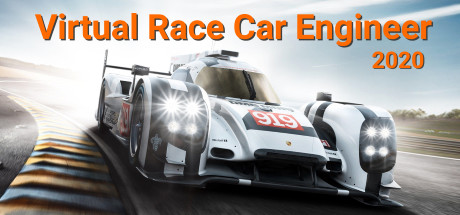
Virtual Race Car Engineer 2020 takes an existing baseline car setup and recommends adjustments based on test-run results and the driver's handling impressions.
The Lap Wizard gives whole-lap advice, while the Corner Wizard focuses on individual corners. Separate guidance covers qualifying and race sessions; race-session recommendations are limited to pit-lane adjustments. Users can select sim-specific setup subjects and car types, including sprint cars and karts. A fuel calculator estimates full-race and remaining fuel needs and pit stops.
Setup changes appear as written explanations or UP and DOWN arrows. The software also includes a setup-learning ebook and tuning flowcharts. It can be used with realistic racing software that allows car setup changes, and is intended to run on a second monitor, separate laptop, or tablet.
How Virtual Race Car Engineer 2020 plays
- 01Lap and corner advice
- Test results and handling impressions inform suggested changes for a full lap or an individual corner.
- 02Session-specific guidance
- Qualifying advice adjusts a trusted setup for a timed session, while race-session changes are restricted to pit-lane solutions.
- 03Fuel calculator
- Calculates fuel for a full race or the remaining distance, along with pit-stop needs.
- 04Car-type advice
- Sprint cars and karts have setup recommendations tailored to their chassis options.
- 05Setup learning materials
- The included ebook and tuning flowcharts cover race-car setup.
Games like Virtual Race Car Engineer 2020
Simulation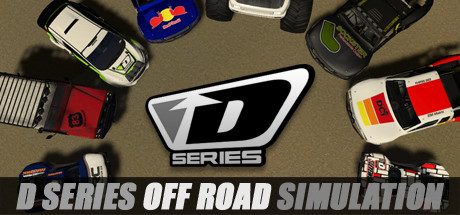 Simulation
D Series OFF ROAD Driving Simulation
devotid MediaFor:Off-road racing fans who want vehicle tuning and varied terrainSkip if:Players seeking racing beyond the off-road vehicle focus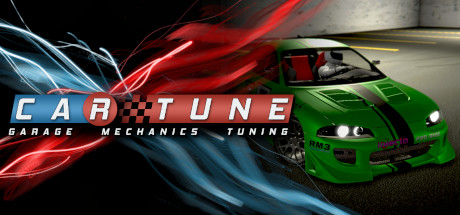 Simulation
CAR TUNE: Project
Vertices SoftwareFor:Car enthusiasts who want a simulator centered on mechanical setupSkip if:Players seeking a story-led racing campaign rather than repeated setup and track testing Simulation
Drift Alone
DiESELmoottoriFor:Drifting fans who want a score-focused driving gameSkip if:Players who want racing built around clean lap times rather than maintaining drifts and collecting drift pointsPicked by overlapping fit notes and genres, not an editorial comparison.
Virtual Race Car Engineer 2020: platforms & release
Is Virtual Race Car Engineer 2020 worth it?
It is worth it if: sim racers who already create baseline setups and want guidance on further adjustments. Skip it if: users seeking a racing game to drive in; the product provides setup advice rather than driving gameplay.
Where can I download Virtual Race Car Engineer 2020?
Use the Download Now button on this page: it opens Virtual Race Car Engineer 2020's store page, where you can choose how to get it.
What platforms is Virtual Race Car Engineer 2020 on?
Windows only.