
Fit check
Is Rolling Hamster worth it for you?
We tell you who should skip it, too.
Play it if you…
Good fit- Local groups of up to four players who want a single-keyboard racing game
- Party-game fans who prefer shared-screen races over split-screen play
- Casual racing players looking for colorful top-down tracks with collision-heavy action
Skip it if you…
Saves you a refund- Players seeking detailed driving controls or a simulation-style racing experience
- Solo-focused players looking for a deeper progression structure beyond arcade races
- Players who prefer racing without collisions or penalties for falling
Our take on Rolling Hamster
The defining constraint is one-button control: every racer uses a single chosen key, allowing four people to compete from one keyboard while sharing one screen.
What is Rolling Hamster?
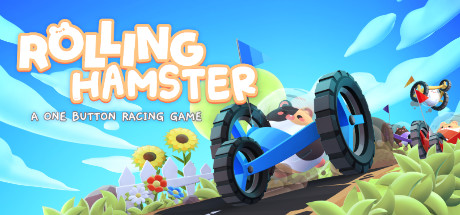
Rolling Hamster is an arcade racing game built around one-button controls.
Up to four players can race on one screen using a single keyboard, with no additional controllers required. The top-down view keeps all contestants visible without split-screen, while color-coded hamsters and a moving camera mark their positions. Hamsters can collide and use their shock-resistant balls to push through impacts, but falling incurs a penalty. The game includes tracks across three worlds rather than limiting access to one free course. Its presentation uses colorful pixel art and cute hamster racers.
How Rolling Hamster plays
- 01One-button racing
- Each racer chooses a single button for control.
- 02Four-player keyboard
- One keyboard supports races with as many as four local players.
- 03Shared-screen tracks
- A top-down camera keeps racers on one visible playfield instead of dividing the view.
- 04Impact-based collisions
- Hamsters can crash into one another using shock-resistant balls, while falling triggers a penalty.
- 05Multiple racing worlds
- The tracks span three different worlds.
Rolling Hamster compared to similar games
Rolling Hamster uses one-button controls, a shared single-screen view, and up to four players on one keyboard. Barro offers arcade, time-trial, and split-screen multiplayer modes with small cars and challenging tracks. KartKraft centers on kart driving and includes a photo mode, while Rolling Hamster focuses on hamster collisions across tracks in three worlds.
Rolling Hamster: platforms & release
Is Rolling Hamster worth it?
It is worth it if: local groups of up to four players who want a single-keyboard racing game. Skip it if: players seeking detailed driving controls or a simulation-style racing experience.
Where can I download Rolling Hamster?
Use the Download Now button on this page: it opens Rolling Hamster's store page, where you can choose how to get it.
What platforms is Rolling Hamster on?
Windows only.