 Casual
Fit check
Is Let's Draw worth it for you?
We tell you who should skip it, too.
Play it if you…
Good fit- Children who want a drawing activity with multiple tools and shapes
- Casual players looking for a basic digital drawing game rather than a combat-focused game
- People who prefer working with a set palette and sprites over an open-ended art workflow
Skip it if you…
Saves you a refund- Artists looking for advanced controls or a broad professional drawing workflow
- Players seeking varied objectives or progression across repeated sessions
- Users who need screenshot printing or export in the current version
Our take on Let's Draw
The feature list gives space to printing and export, but those functions are framed as future additions. The current description instead centers on drawing tools, shapes, colors, sprites, and saving drawings between shapes.
What is Let's Draw?
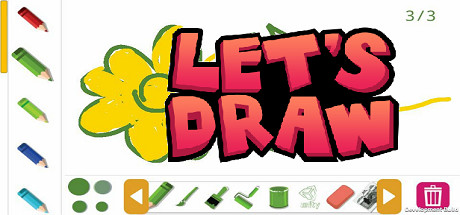
Let's Draw is a drawing game with tools including a pencil, brush, paint, roller, paint can, stamp, eraser, and hand.
Draw with shapes and use Bezier paths for smooth lines; zoom in or out while working. The game offers 14 colors and 14 sprites per tool, with scrollable tool lists and a scrollable shape selector. A confirmation dialog appears when using the trash function. Drawings can be saved between shapes. Screenshot printing and export are described as additions planned for future updates, rather than current features.
How Let's Draw plays
- 01Drawing tools
- The available set includes a pencil, brush, paint, roller, paint can, stamp, eraser, and hand.
- 02Colors and sprites
- The game includes 14 colors and 14 sprites for each tool.
- 03Shape drawing
- A scrollable selector provides access to shapes, and drawings can be saved between them.
- 04Zoom controls
- The canvas can be viewed closer or farther away while drawing.
- 05Confirmed clearing
- The trash function uses a confirmation dialog before clearing.
Games like Let's Draw
Casual Casual
WEJAM
Interaction Ideas GmbHFor:Casual music creators who do not want professional audio-production toolsSkip if:Musicians seeking import, export, MIDI, or VST production workflows Casual
Ithya: Magic Studies
BlueTurtleFor:Students who want a themed background for focused sessionsSkip if:Users seeking a full-featured project or task-management system may find the built-in tools limited to a task list, journal, timer, and Pomodoro timer.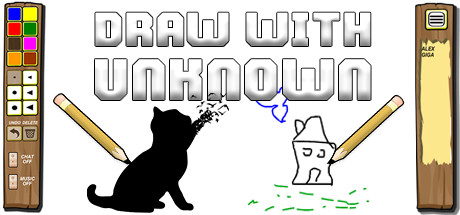 Casual
Draw With Unknown
RewindAppFor:Players seeking open-ended creative play rather than a fixed objectiveSkip if:Players who prefer games built around a precise objectivePicked by overlapping fit notes and genres, not an editorial comparison.
Let's Draw: platforms & release
Is Let's Draw worth it?
It is worth it if: children who want a drawing activity with multiple tools and shapes. Skip it if: artists looking for advanced controls or a broad professional drawing workflow.
Where can I download Let's Draw?
Use the Download Now button on this page: it opens Let's Draw's store page, where you can choose how to get it.
What platforms is Let's Draw on?
Windows only.