 Simulation
Fit check
Is CozyTyper worth it for you?
We tell you who should skip it, too.
Play it if you…
Good fit- Typing learners who want accuracy practice without a countdown
- Players who prefer structured lessons with progress tracking
- Typists seeking repeatable quote exercises with adjustable presentation options
Skip it if you…
Saves you a refund- Players looking for fast, score-driven typing rounds may lose interest because the core practice removes the ticking-clock pressure.
- Users seeking broad gameplay variety may find repeated passage typing too narrow for extended sessions.
- Players wanting combat, exploration, or management systems will not find those activities in this typing-focused game.
Our take on CozyTyper
The likely bounce point is the central exercise itself: players must type complete quotations repeatedly, with accuracy taking priority over speed. Anyone expecting varied game systems or escalating action may stop when the course settles into passage-by-passage keyboard practice.
What is CozyTyper?
CozyTyper is a typing practice game centered on accuracy rather than a countdown.
Players type complete passages drawn from games, films, novels, speeches, and other sources, with longer and more technical material appearing at higher difficulties. Story mode presents a course with progress reports and daily statistics. Completed passages become available for unlimited practice in Freeplay, while weekly progress can open additional bonus quotes. Freeplay can choose from all unlocked material or focus on a selected difficulty. Statistics include accuracy and words per minute, with graphs for recent quotes. The game includes three cursor styles, three typing modes, two color presets, and custom text colors for the highlighting.
How CozyTyper plays
- 01Accuracy-focused practice
- Typing exercises remove the countdown so practice centers on correct keystrokes and developing muscle memory.
- 02Story course
- A guided course provides progress reports and records completed quotes as the in-game days advance.
- 03Freeplay practice
- Unlocked passages can be replayed without the course structure, with selection by the available library or a chosen difficulty.
- 04Typing statistics
- Graphs track recent accuracy and words-per-minute results, alongside daily story-mode reports.
- 05Display customization
- Three cursor options, three typing modes, two preset color schemes, and custom highlight colors are included.
Games like CozyTyper
Simulation Simulation
Shashingo: Learn Japanese with Photography
Autumn PioneerFor:Japanese beginners who want vocabulary practice through virtual photographySkip if:Learners seeking advanced Japanese content beyond beginner phrases, grammar, and vocabulary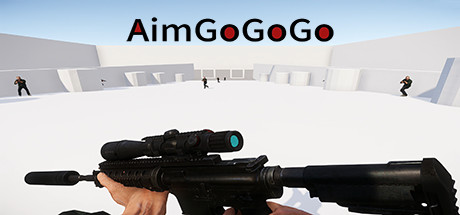 Simulation
AimGoGoGo
FeiWu StudioFor:FPS players who want dedicated recoil and tracking practiceSkip if:Players who want something other than repeated weapon drills and aim exercises Simulation
Joyo Kanji Quiz
Wholetone GamesFor:Japanese learners who want quizzes organized around school-grade kanji levelsSkip if:Players seeking an open-ended Japanese course with lessons beyond quizzes and character reviewPicked by overlapping fit notes and genres, not an editorial comparison.
CozyTyper: platforms & release
Is CozyTyper worth it?
It is worth it if: typing learners who want accuracy practice without a countdown. Skip it if: players looking for fast, score-driven typing rounds may lose interest because the core practice removes the ticking-clock pressure.
Where can I download CozyTyper?
Use the Download Now button on this page: it opens CozyTyper's store page, where you can choose how to get it.
What platforms is CozyTyper on?
Windows, macOS and Linux.