
 Simulation
Fit check
Is Cozy Time worth it for you?
We tell you who should skip it, too.
Play it if you…
Good fit- People who want timed focus sessions and breaks within an ambient setting
- Listeners who want built-in relaxing or lo-fi music while focusing or resting
- People who want to add imported music and adjust the scene's weather or time
Skip it if you…
Saves you a refund- Players looking for an active game loop may bounce off when the main activity is setting a timer and working in the ambient scene.
- Users seeking detailed project management may hit the limit at goals, a to-do list, and focused-time records.
- People who prefer working without background audio or environmental effects may find the available atmosphere mismatched.
Our take on Cozy Time
The bounce point comes when setup gives way to a timed focus session. Players expecting missions, progression, or frequent interaction instead encounter an ambient cottage scene with music, weather effects, and adjustable lighting around the timer.
What is Cozy Time?
Cozy Time provides an ambient setting for focusing, relaxing, or resting.
Users can set goals, make a to-do list, and start Pomodoro sessions with chosen focus and break durations. A calendar shows records of focused time by day, week, and month. Built-in relaxing and lo-fi music is available, and users can import music to play. The app also includes weather effects with wind and rain sounds. Scene lighting can follow real-time day and night changes, or users can manually adjust the time to settings such as early morning, dusk, or late at night. Its features center on timed focus sessions, a cottage environment, audio, and scene settings.
How Cozy Time plays
- 01Pomodoro Sessions
- Set focus and break durations before starting a session.
- 02Focus Time Calendar
- View focused-time records by day, week, and month.
- 03Music Import
- Import music to play alongside the built-in relaxing and lo-fi tracks.
- 04Wind and Rain Sounds
- The built-in weather effects pair these sounds with the environment.
- 05Adjustable Scene Time
- Lighting can follow real-time day and night changes or be set manually, including to dusk or late night.
Games like Cozy Time
Simulation Simulation
Zen Aquarium
Astro CatFor:Players who want a passive aquarium experience without maintenance tasksSkip if:Players looking for aquarium management systems involving feeding, cleaning, or water-level control Simulation
On-Together: Virtual Co-Working
Future Friends GamesFor:Friends who want a shared virtual space during work or study sessionsSkip if:Users who need a deep task-management system beyond a timer and to-do list may hit the tool’s limits.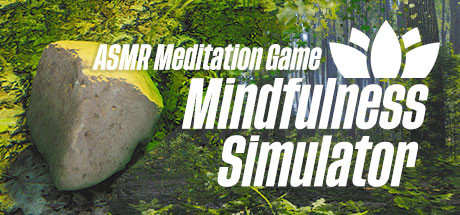 Simulation
Mindfulness Simulator - ASMR Meditation Game
Enlightment InstituteFor:Players who want open-ended forest exploration without goals or questsSkip if:Players who need goals, quests, or conventional progression may stop at the game's goal-free structure.Picked by overlapping fit notes and genres, not an editorial comparison.
Cozy Time: platforms & release
Is Cozy Time worth it?
It is worth it if: people who want timed focus sessions and breaks within an ambient setting. Skip it if: players looking for an active game loop may bounce off when the main activity is setting a timer and working in the ambient scene.
Where can I download Cozy Time?
Use the Download Now button on this page: it opens Cozy Time's store page, where you can choose how to get it.
What platforms is Cozy Time on?
Windows only.