 Action
Fit check
Is Borderless Gaming worth it for you?
We tell you who should skip it, too.
Play it if you…
Good fit- Windows players who want borderless windows and automatic per-game display profiles
- Steam Deck players who want GPU effects without switching to desktop mode
- Players of older PC games that require OpenGL or DirectX compatibility adjustments
Skip it if you…
Saves you a refund- Users who only need a simple fullscreen toggle may hit a wall when configuring separate display, input, audio, and effect settings.
- Players seeking a game itself may bounce off immediately because this is a utility for modifying how games run.
- Users whose games do not need window management, visual effects, or compatibility adjustments may find its tools unnecessary.
Our take on Borderless Gaming
Players looking for a game will bounce off at the start: Borderless Gaming provides configuration and compatibility tools rather than playable content. Users of newer games may also hit a wall when they have no need for BGProxy or display-profile controls.
What is Borderless Gaming?
Borderless Gaming provides three tools for managing games.
Its fullscreen mode converts games to borderless windows, with controls for size, monitor placement, taskbar visibility, cursor locking, background audio, and input while multitasking. Profiles can apply settings automatically when a game starts. BGFX captures games for GPU effects and upscaling, including FSR, CRT lines, VHS effects, sharpening, anti-aliasing, and color grading. It supports native Game Mode on Steam Deck with gamepad navigation, per-game presets, and an in-game overlay. BGProxy targets older or incompatible games using OpenGL and DirectX 8 through 12, including fullscreen-only titles that need resizable windows. It can also address timer-related stutter and GPU recognition problems.
How Borderless Gaming plays
- 01Fullscreen window control
- Profiles can set window size, monitor position, taskbar behavior, cursor access, and background audio when a game launches.
- 02GPU effects pipeline
- BGFX provides more than 390 effects, including FSR, upscalers, CRT lines, VHS processing, sharpening, anti-aliasing, and LUT color grading.
- 03Steam Deck support
- BGFX runs in Game Mode with gamepad navigation, per-game presets, and an overlay for adjusting settings during play.
- 04Legacy game compatibility
- BGProxy supports OpenGL and DirectX 8 through 12 for older games and titles that do not work properly with modern hardware.
Games like Borderless Gaming
Action Action
YoloMouse - Cursor Changer
Dragonrise GamesFor:MOBA, MMO, RPG, and ARPG players who want customized cursor visibilitySkip if:Users seeking gameplay mechanics, automation, or competitive advantages rather than cursor presentation controls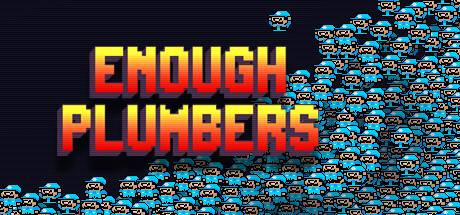 Action
Enough Plumbers
KliksceneFor:Platforming puzzle fans who prefer short, precision-focused challengesSkip if:Players seeking a long campaign may find the 25 bite-sized puzzles limited in scope Action
Crosshair Zero
CrosshairZeroFor:Players who want a visible custom aiming marker across different gamesSkip if:Players seeking a complete game rather than a customization utilityPicked by overlapping fit notes and genres, not an editorial comparison.
Borderless Gaming: platforms & release
Is Borderless Gaming worth it?
It is worth it if: windows players who want borderless windows and automatic per-game display profiles. Skip it if: users who only need a simple fullscreen toggle may hit a wall when configuring separate display, input, audio, and effect settings.
Where can I download Borderless Gaming?
Use the Download Now button on this page: it opens Borderless Gaming's store page, where you can choose how to get it.
What platforms is Borderless Gaming on?
Windows and Linux.